Welcome new community members and recognise useful work
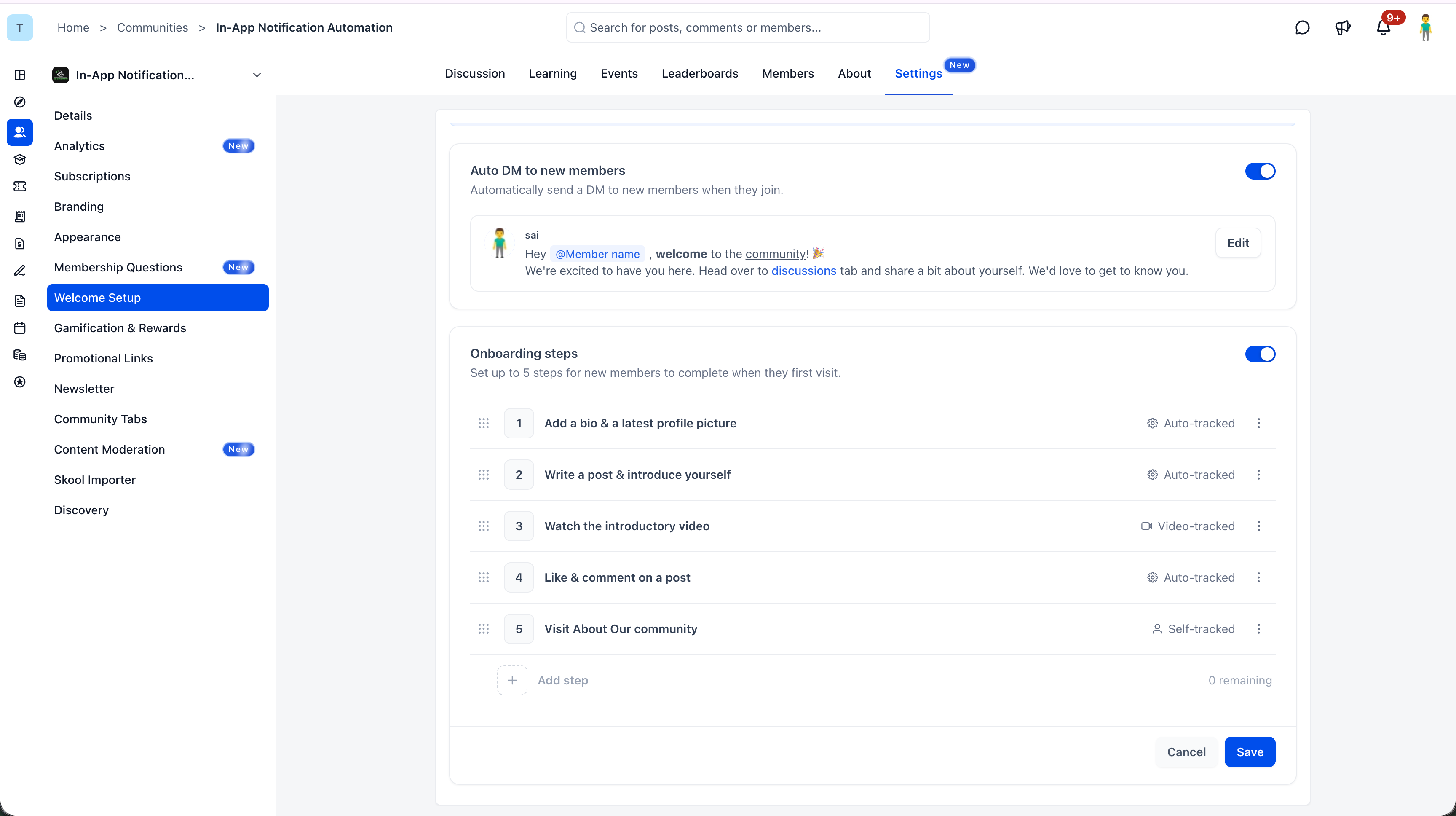
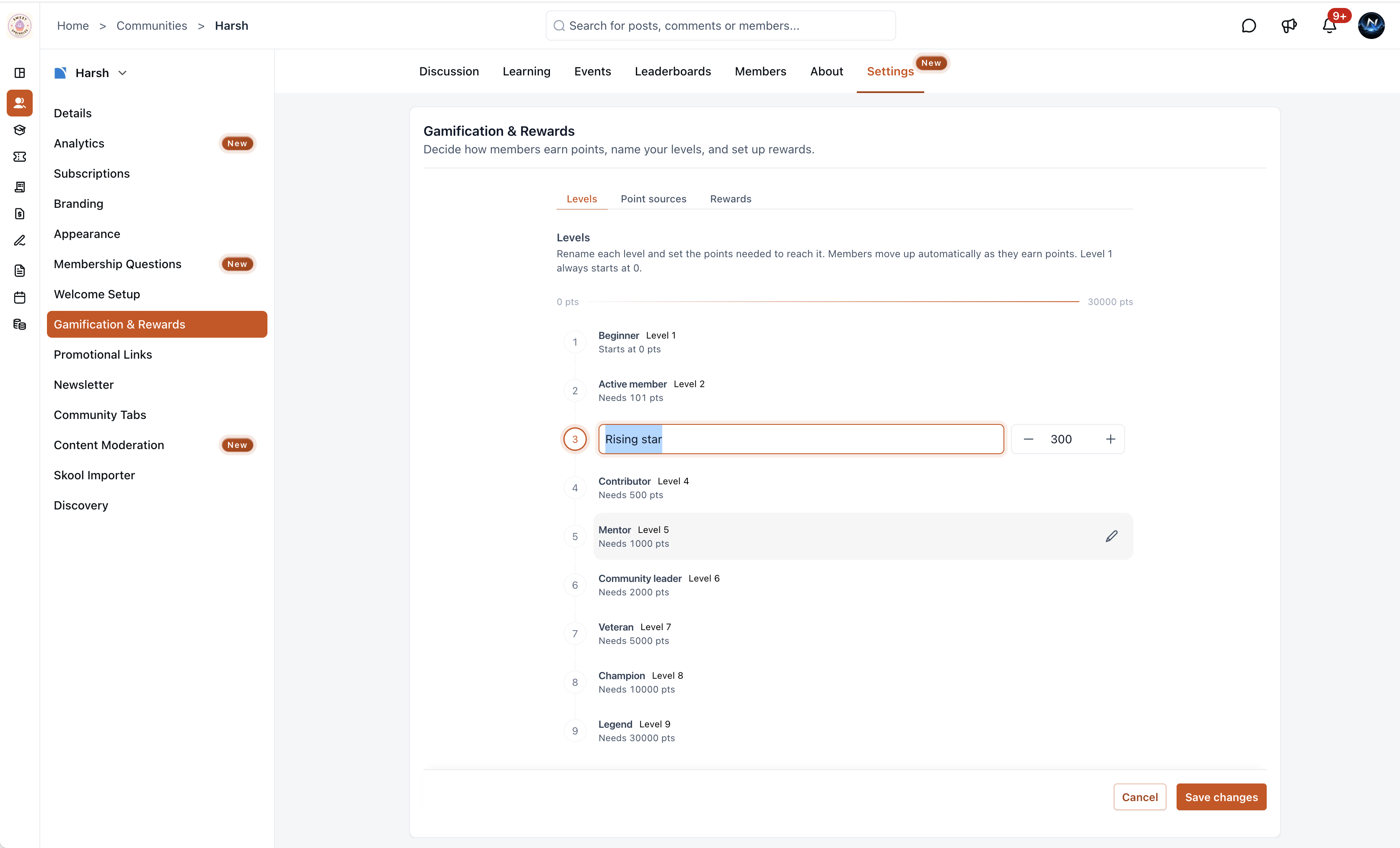
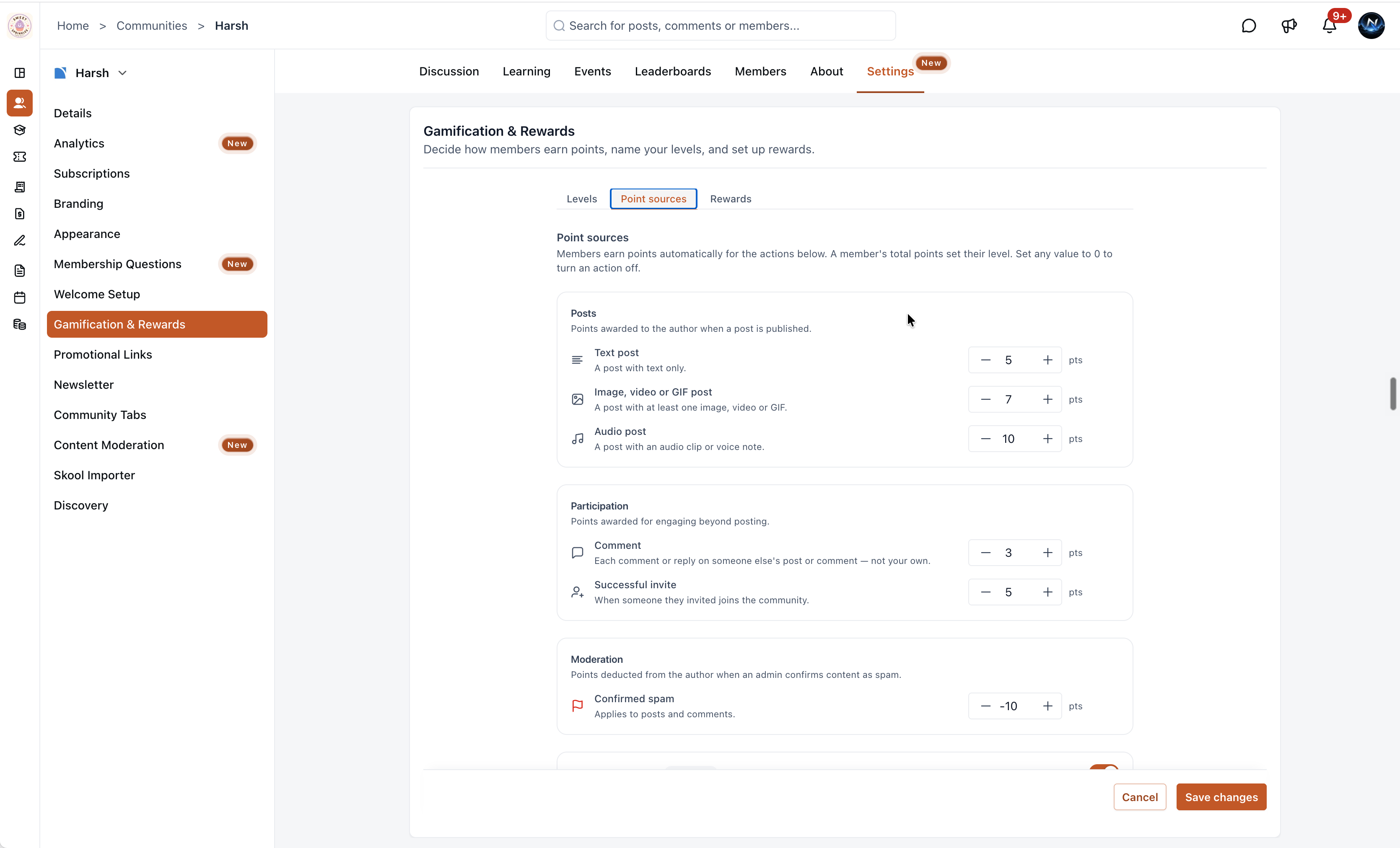
Set an automatic welcome DM and a Get Started checklist of up to five steps, then name up to nine levels and choose how members earn points. Auto DM and onboarding can be turned on separately. Event RSVPs in the checklist are community participation, not a booking form.
- Creator Platform
A welcome DM and a first-visit checklist
Admins can send an automatic welcome DM when someone joins, from Settings, then Welcome Setup. Choose which admin or owner appears as the sender. The message supports rich text, links and attachments, and @Member name inserts the new member's name. You can turn Auto DM off without turning off onboarding.
The same page can add up to five onboarding steps. When onboarding is on, eligible new members see a Get Started checklist on the community home or feed. Steps can cover profile updates, posting, event RSVPs, an introductory video, or a custom step with an optional link. Members can complete steps from the checklist, follow their progress, and dismiss it when they are done. Event RSVPs in this checklist are community participation, not a service booking form.
Name levels and choose how points are earned
From Settings, then Gamification & Rewards, the Levels tab supports up to nine levels, each with a name and point threshold. Members move up automatically as their points change. Default names run from Beginner at 0 points to Legend at 30,000 points, and every name and threshold can be edited.
The Point Sources tab sets points for text, media and audio posts, comments, successful referral invites, confirmed spam (a deduction), optional reactions received, and course completion for courses you add. Set a value to 0 to turn that action off. Courses you do not add award no points. Reactions received is an advanced option; it can favour popularity over participation.
The Rewards tab is visible in settings. Configuring rewards there is upcoming and is not available yet.
Where to find it
Open the community in Creator Platform, then Settings. Welcome Setup holds Auto DM and onboarding. Gamification & Rewards holds Levels and Point Sources.
Community posts, comments, referrals and course completion stay in the community. This does not add a Creator Agents operation.