Follow one customer through your workflows
Workflow AI chat can retrace one customer's latest run, follow them across workflows, compare versions, and export a PDF. Only people who can open the account and that workflow see the report. Secret values stay hidden, and the analysis does not prove what caused a result.
- Creator Platform

See one customer's latest run, then the rest of the journey
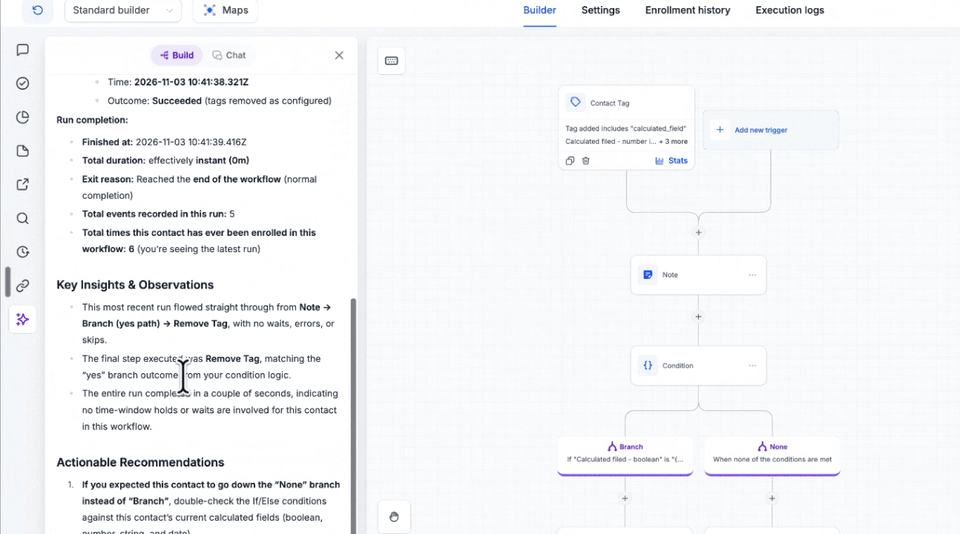
In Creator Platform, Workflow AI chat can retrace a named contact's latest run step by step, with the time and outcome of each step. Repeat enrollments are called out, so you know which run you are looking at. Choose See contact path to open the canvas with that run highlighted.
The same chat can follow one contact across every workflow they entered, how many times, and how each run ended, including whether they are in a workflow right now. You can also ask who is in three or more workflows.
Compare versions, compare workflows, and export a PDF
Ask what changed between versions and the chat can show who edited the workflow, plus steps added, removed, moved or renamed, and fields or settings changed. If you ask whether an edit caused a problem, the reply uses a confidence label of Direct cause, Lines up, or Can't tell. Secret values stay hidden.
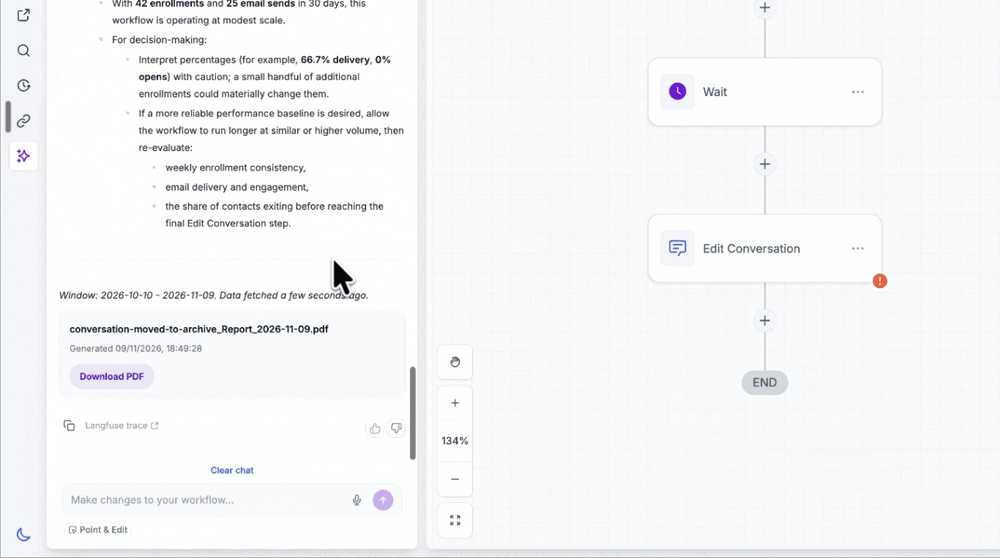
Ask for a report and mention PDF, download or export. The analysis appears in the chat, with a Download PDF card under it. Those reports are private to people who have access to the account and to the workflow.
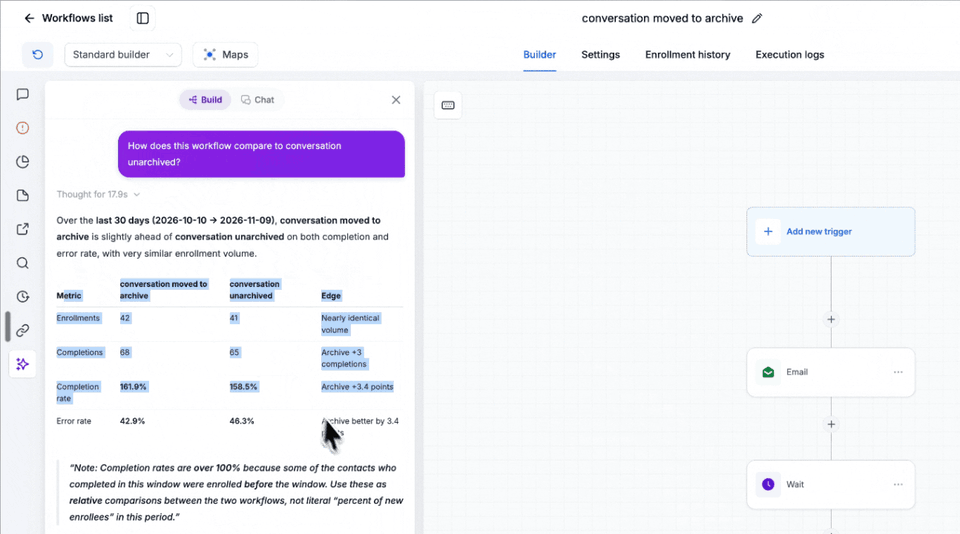
You can compare two workflows on enrollments, completions, completion rate and error rate, or rank published or paused workflows by completion rate against the account median. The numbers describe the selected window. They are not proof that a change caused a customer result.
Where to find it
Open Automation, then Workflows. Open a workflow, choose the Workflow AI icon in the left bar, and use the Chat tab.
This is Creator Platform chat. It does not add a Creator Agents workflow operation.