Start follow-ups from Slack and Google Sheets
Use five instant Slack triggers or four Google Sheets triggers in native workflows. Both integrations carry Premium labels; Sheets is in Beta and polls every five minutes.
- Creator Platform

Respond to supported Slack activity
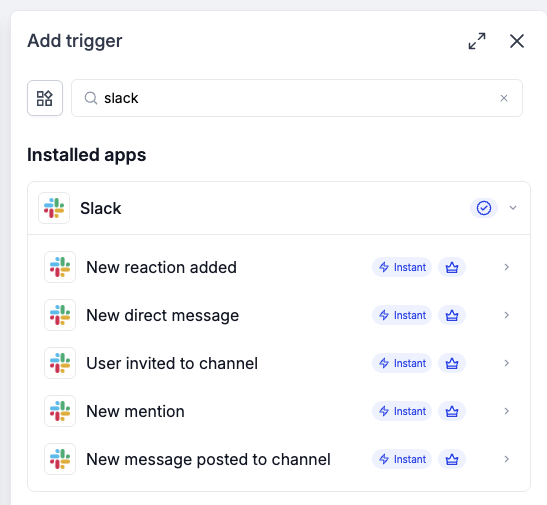
Five Slack workflow triggers cover a direct message to the bot, joining or being invited to a channel, a bot mention, a channel message and a reaction. They are marked Instant and Premium in the picker.
The connected Slack user’s channel access still applies. Add the bot to a channel for mentions, and review the trigger’s scope before using it. A message to the bot is different from an arbitrary private conversation between people.
Watch a spreadsheet for the next step
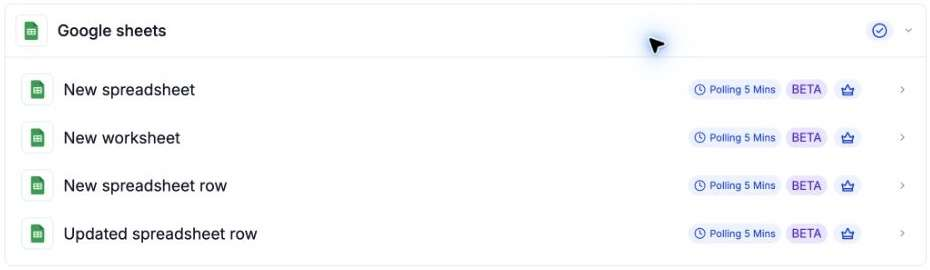
Google Sheets offers triggers for a new spreadsheet, a new worksheet, a new row and an update to an existing row. They are marked Beta, Polling 5 Mins and Premium. An updated-row trigger does not replace the separate new-row trigger.
Polling can delay the follow-up. Row tracking works best with rows appended at the end: inserting in the middle can retrigger rows, and deleting at the end can cause a later row to be skipped. Check the connected account’s Drive and sheet permissions, integration access and applicable Premium usage charges before enabling a workflow.