Share better forms and put limits on QR codes
Preview and share forms from one place, find configuration errors faster, and control when QR codes work. New scan breakdowns and optional contact-exchange cards help you understand and follow up on offline interest.
- Creator Platform

Move from a finished form to a usable link
Forms, Surveys and Quizzes now have a dedicated Integrate tab. It brings together embed previews, direct links, a ready-made QR code, the existing email options and connected workflows. You can customise and download the QR code without creating it separately.
Saving also surfaces the available sharing and integration actions. The Connection section currently shows workflows and offers a starting point for a new one.
Find mistakes and show the right products
Existing validation errors now point to the affected field, with a click taking you to the problem. Optional recommendations flag configurations such as placeholder URLs and payment elements left in test mode. An Insights tab summarises settings including conditional logic, notifications and payment mode.
Forms and Surveys can also use selected products as conditions for redirects, messages, lead disqualification and field visibility. Show or hide individual products and variants inside the Sell Products element according to the rules you configure.
Set a scan budget or an expiry window
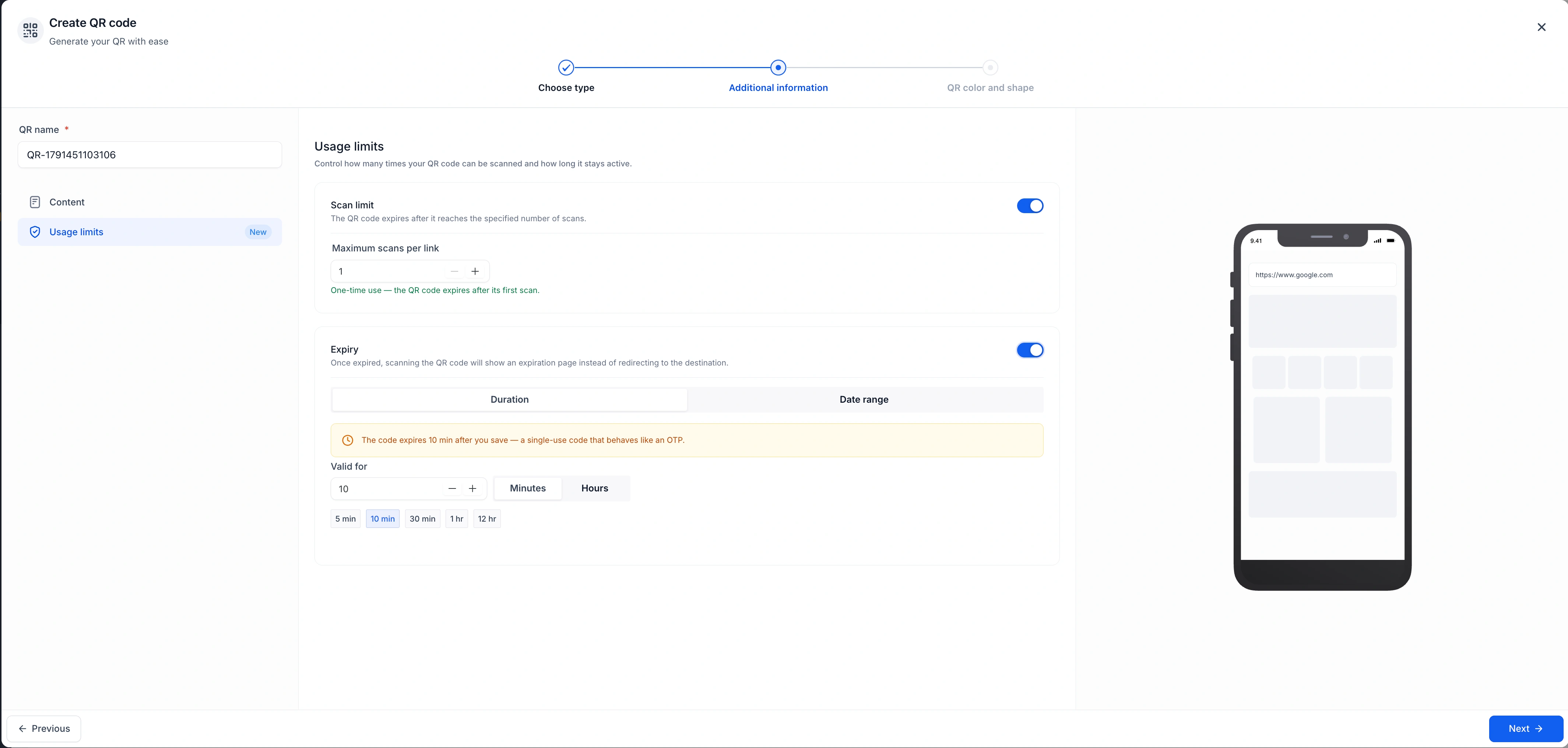
QR codes can have a maximum scan count, a duration from creation or a scheduled date range in a chosen time zone. Rules are checked when the code is scanned, so changes do not require a new printed image. Unavailable codes explain whether they are inactive, expired or at their limit.
The QR list labels codes with active restrictions. Analytics adds device, browser, country, state and city breakdowns alongside total and unique scans, including supported recorded history from 28 August 2024. These are scan summaries, not identification of each person.
Share a profile card and invite contact exchange
The top-bar QR entry provides Profile and Business Cards populated from account details. Access and editing follow the relevant card permissions. Share the link or download the QR code.
Exchange Contact is off by default. Enable it in the card editor and choose the built-in or an existing form when you want visitors to share their details. Submissions create CRM contacts with activity identifying the originating card.
Private beta: create records without a contact
Locations already enabled for the Opportunity-First private beta can build forms that create an opportunity without contact fields, or create supported pairs of linked records: Opportunity + Company, Opportunity + Custom Object, or Company + Custom Object.
Opportunity Name is required when opportunity fields are used. Configure the destination pipeline and stage, and the association label for linked records. This capability requires private-beta access.