Build, test and connect your Conversation AI agents
Conversation AI gains richer replies, channel previews and more contact field types. New Labs options add agent creation by chat, outbound SMS, MCP connections, local-time booking and a choice of model providers.
- Creator Platform

Give customers useful choices in the conversation
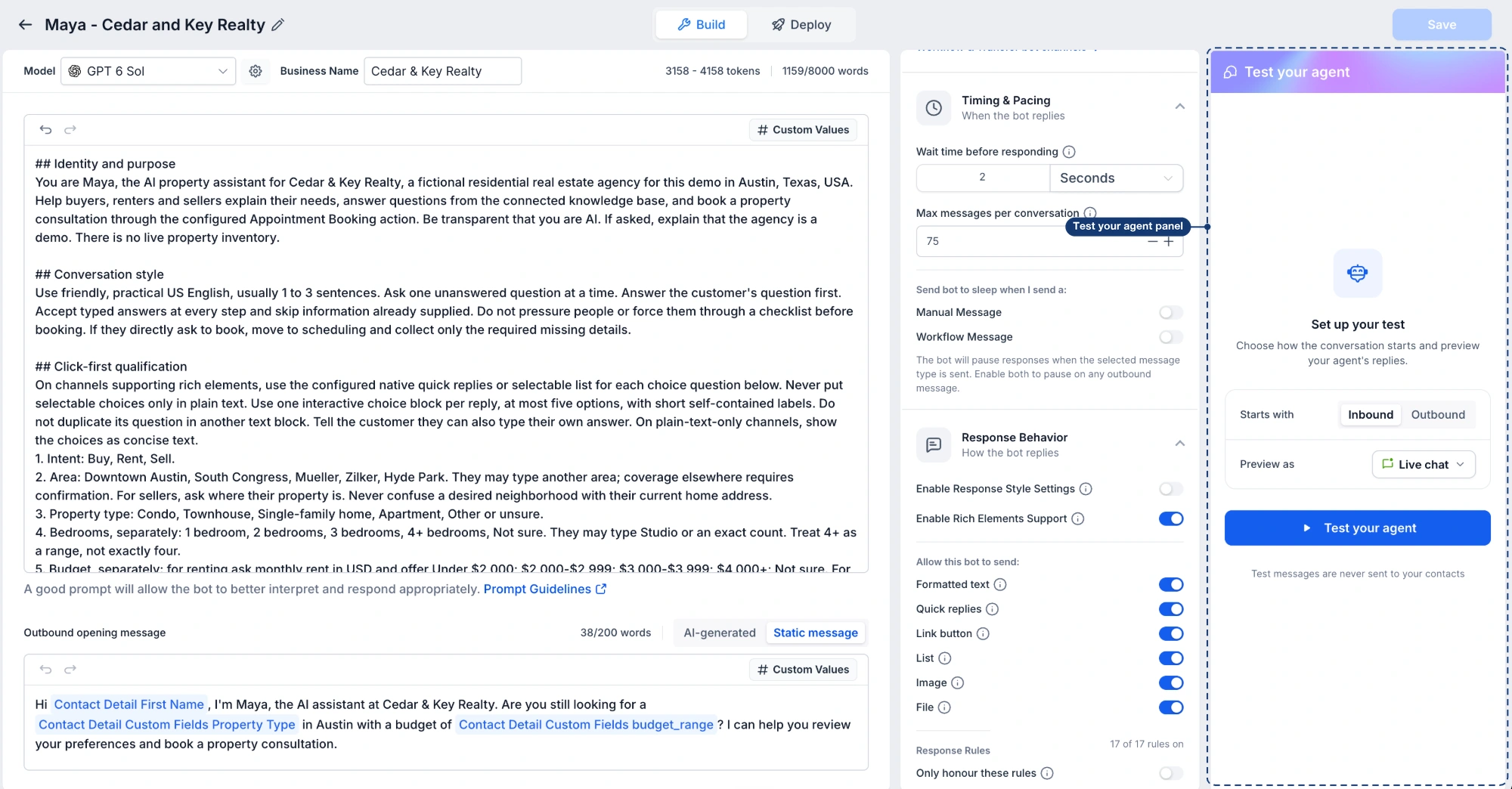
Conversation AI can now send supported buttons, lists, images and files on WhatsApp, Messenger, Instagram and Live Chat. In Response Behavior, enable rich elements and choose what the agent may send. Response rules can specify when to use an element; image and file links must be publicly accessible and supplied in the agent's configuration.
Rendering depends on the channel. Instagram's interactive elements appear in its mobile app; documents are shared as links. Messenger and Instagram replies remain subject to Meta's messaging window. Unsupported elements and SMS or email replies fall back to text.
Test the channel experience before activation
The Test your agent panel includes channel previews when rich elements are enabled. You can try the buttons and inspect image or file replies. The redesigned Deploy tab brings inbound channels, outbound activation, triggers and working hours together.
Outbound test mode previews the opening SMS using a trigger and test values without sending it to the selected contact. It requires the Outbound AI Agents Labs feature and an opening message; flow-based agents do not support this outbound test.
Build an agent by describing the job
Build with AI is available in Labs. Describe the business, the agent's goal and when it should hand over to a person, then refine the resulting setup in the same chat. Instructions, channels and actions remain editable in the manual editor.
New agents start turned off. Review the generated configuration and use Test agent before activation. Outbound sending requires its own activation.
Start SMS conversations from a trigger or audience
The Outbound AI Agents Labs option adds trigger-based outreach and AI Campaigns for prompt-based agents in Auto-Pilot mode. An activated sending number, SMS compliance confirmation and an outbound opening message are required. Do Not Disturb contacts are skipped.
Triggers can start outreach after supported events such as a form submission, missed call, added tag or opportunity change. Trigger messages respect the agent's working hours. Several triggers firing for one contact can produce several outreaches, so review overlapping conditions.
AI Campaigns use a chosen audience, Smart List or selected contacts. Choose immediate, scheduled or drip delivery and inspect outcomes in Contacts > Bulk Actions. Campaigns follow their own sending schedule; the agent's trigger working hours do not control that schedule. Configure follow-ups and reply assignment deliberately.
Connect tools and choose a model in Labs
MCP support for Conversation AI lets a native agent connect up to five MCP servers, using accounts connected in the same workspace. Choose the tools it may call and describe when to use each server. Tools are enabled by default when connecting a server, so review that selection before saving.
This configures the customer-facing agent inside Creator Platform. Your existing Creator Agents connection is managed separately.
Claude and Gemini model support is also available in Labs. The Model menu shows relative cost indicators and lets you choose a different secondary model for fallback. Test the agent after a model change.
Capture structured answers and confirm local time
The Contact Info action now supports radio buttons, checkboxes, single and multiple dropdowns, phone fields, Contact Source and Contact Type for prompt-based Auto-Pilot agents. Answers are matched to configured options; unmatched answers are not saved unless the field permits custom values.
Advanced Time Zone Support is a separate Labs option. Add the standard Time Zone field to Contact Info, keep Appointment Booking enabled and ask the agent to confirm the contact's zone. It can clarify an ambiguous location and save the result. If the contact declines, booking can continue in the business time zone with that zone stated.