See how learners watch your course videos
Compare video views, watch time and finish rates, then inspect the moments viewers leave or replay. Course video analytics is available through Labs, with Course AI insights offered separately in beta.
- Creator Platform

Compare performance across your course videos
Course video analytics gives you a shared view of video views, watch time, average engagement and finish rate in Creator Platform. Filter by course and date, search for a video, or export the selected performance data for a closer look. Comparisons with the previous equivalent period appear where data is available.
Finish rate measures the share of views that reach a video's end. It does not tell you how many learners completed a course. Open a video's details to separate total views from unique viewers and review repeat viewing.
Find the moments worth reviewing
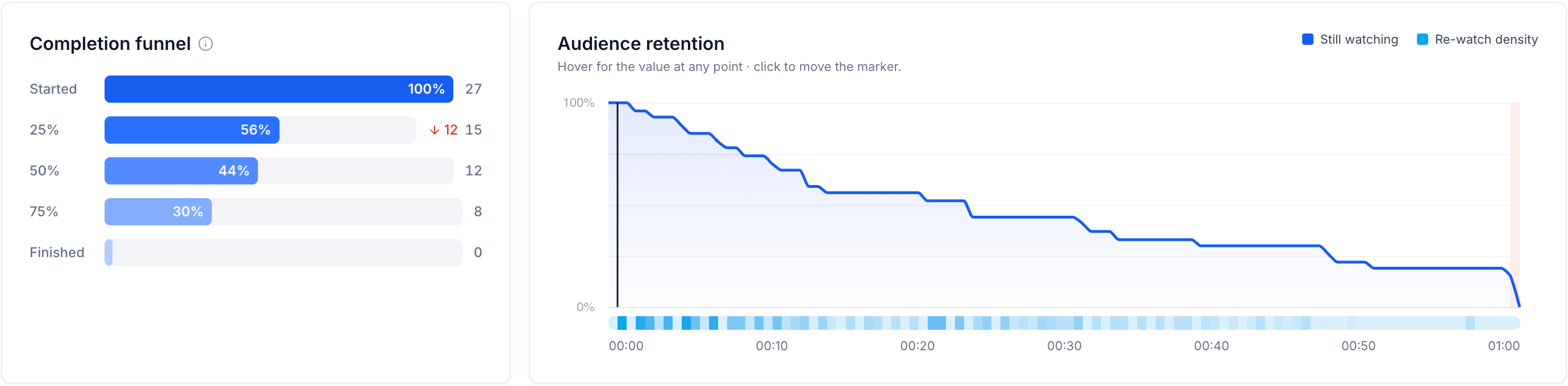
A completion funnel shows how many viewing sessions reach each milestone. Beside it, the retention curve and rewatch heatmap show where viewing drops or a section gets another look. Inspect a point to move the video marker to that moment. Device, country and region breakdowns add context to the aggregate results.
These patterns help you choose what to review in a lesson. They do not establish why someone stopped watching or whether a content change will improve learning.
Check video stats while editing a lesson
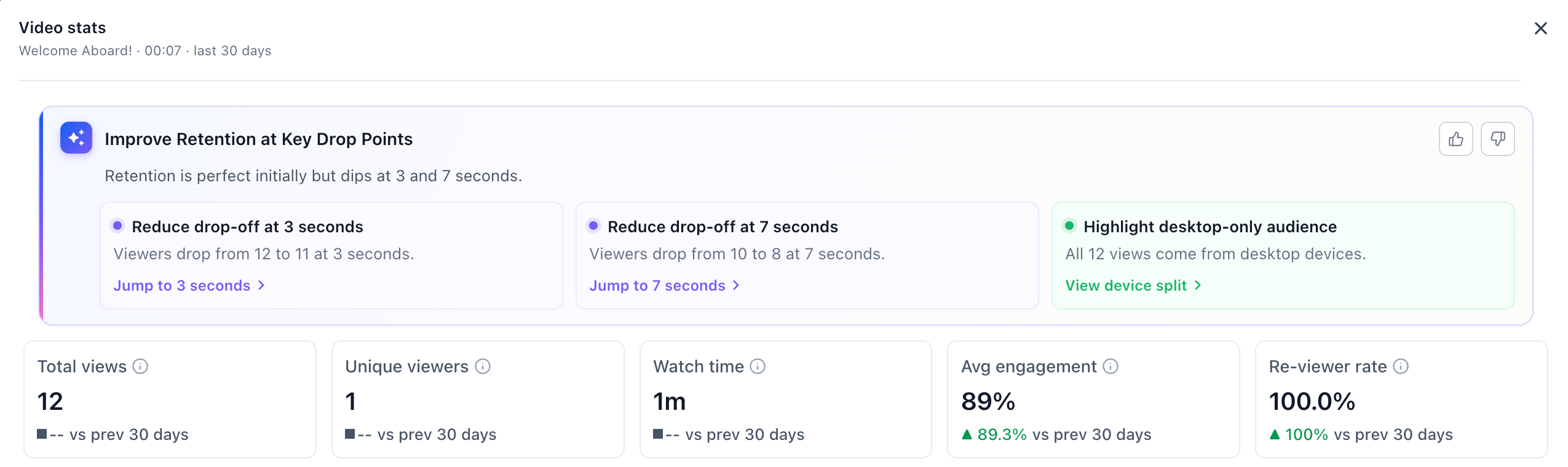
In a course lesson, Video stats above the video preview opens the last 30 days of performance. The control appears after the video has finished processing and can be previewed. Once it has views, View in analytics opens the full report.
AI recommendations require separate Course AI beta access. Joining the beta is an application, not a promise of access. Where that access is enabled, suggestions can point to moments to review; evaluate them before changing your lessons.
Enable Labs and check the data window
Where available for your workspace, enable Video analytics in Labs → Subaccounts, then open Memberships → Courses → Analytics → Video analytics. It supports videos uploaded directly to Courses; third-party embedded videos are outside this reporting.
The platform's earliest collection dates are 4 July 2026 for desktop views and 18 September 2026 for mobile views. Your account's collection start can be later. Earlier views are not backfilled. For existing videos, lesson attribution begins when the video is next played; it is not applied retrospectively. Recent session records may expire while aggregate charts remain available.