Generate short videos in your workflows
Turn a prompt into a short video with a native Premium action, then use its URL in later steps. Each execution has an additional charge, and anyone with the result link can open it.
- Creator Platform
Create a clip from the workflow
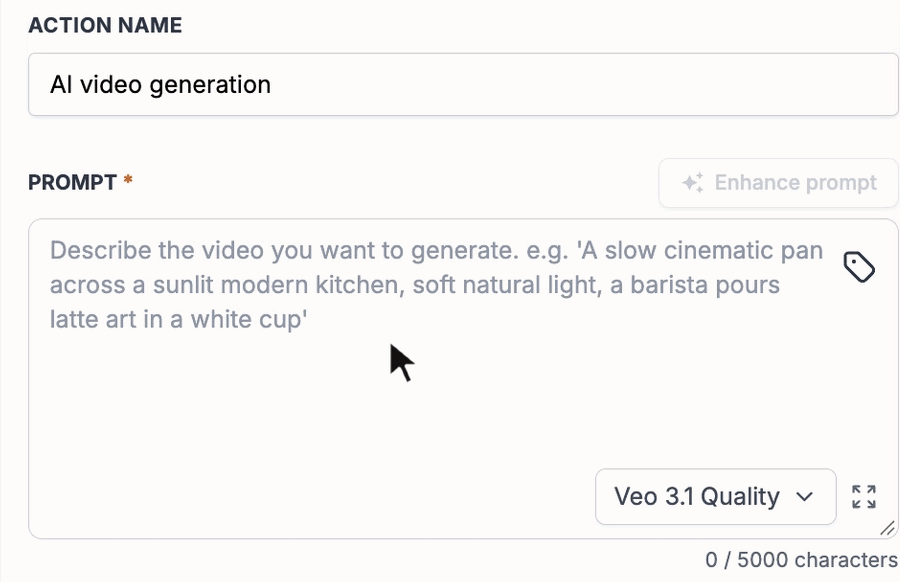
Where available in Automation → Workflows, add AI Video Generation from AI Actions. Write a prompt or insert a custom value from an earlier step. The action generates a short clip, saves it to the Media Library and returns a URL for later workflow actions.
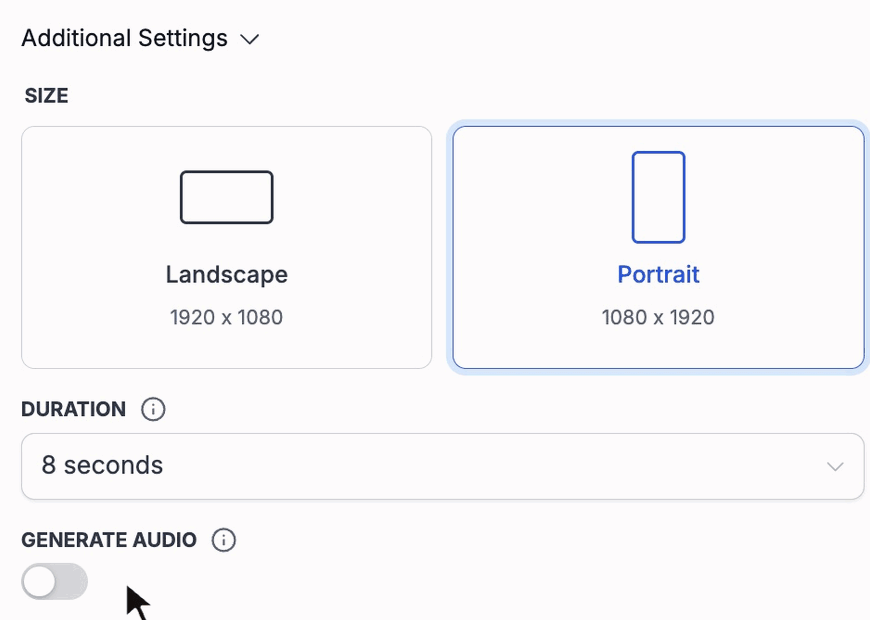
Choose Veo 3.1 Quality or Veo 3.1 Fast, with Standard (720p) or High (1080p) quality. Select Landscape or Portrait and a duration of four, six or eight seconds. Generate Audio is off by default; enabling it adds AI-generated sound and affects the cost.
Use references and settings deliberately
You can supply up to three JPEG or PNG reference images from an upload, Media Library or URL. Adding a reference switches the duration to eight seconds. Review the prompt and references together before running the action.
This is a Premium workflow action with an additional charge for each execution. Cost depends on model, quality, duration and audio. Check your current account pricing before testing or publishing a workflow that includes it.
Treat the output link as public
The generated video is stored at a public URL that works without sign-in. Anyone with that link can open it. Choose prompt data and reference images with that access in mind, especially when custom values come from customer fields.
Use the returned URL in a later email, message, field update or webhook only after reviewing that action and its intended audience. Generating a clip and distributing it are separate workflow steps. Public examples show configuration; no customer video, send or paid execution was performed for this article.