Recognise community milestones with badges
Award badges for configured milestones and participation, let members choose an earned badge to display, and track progress toward the next achievement.
- Creator Platform

Make participation visible
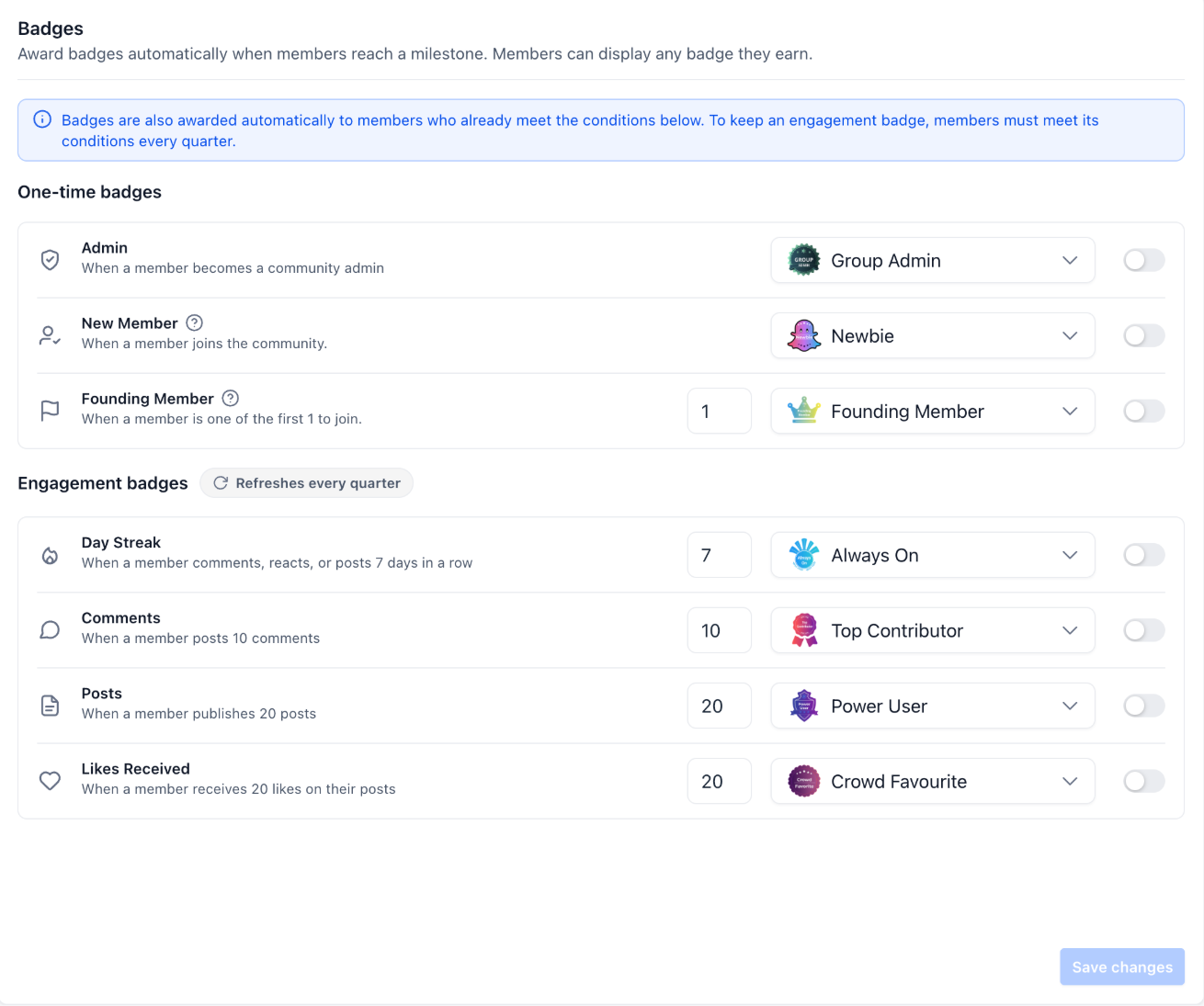
Communities can award badges for becoming an admin, joining or qualifying as a founding member, and for configured streaks, comments, posts and received likes. Members choose one earned badge to show beside their name in the feed, comments and member list.
Set the rules for your community
Go to Community > Settings > Badges to enable the triggers you want, set qualification thresholds and select a badge. Designs can be managed through Memberships > Credentials. Enabling a trigger also awards its badge to existing members who already meet the requirements.
Engagement badges refresh quarterly, so members must meet their conditions again to keep them. One-time milestone badges have separate rules.
Show the next step
The profile Badges tab shows earned badges and progress. Members receive an award notification and an almost-there notification at 80% of a requirement. Admins can filter the member list by badge and see active badge-holder counts. Configure these rules with the notifications they will produce in mind.