Preview email inboxes and warm up your domain
Inspect real email-client renders through Labs Inbox Preview, and explore automated domain warm-up in the approved beta. Preview balances, domain readiness and beta access apply.
- Creator Platform

Check how an email client renders your design
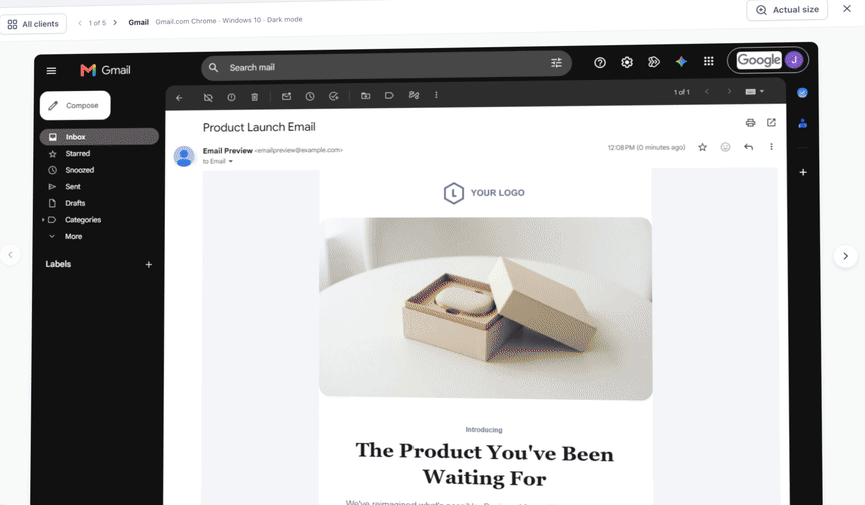
Inbox Preview is available through Labs in the email builder. Select supported email clients, versions and light or dark modes, then inspect the returned screenshots for layout, colour and clipping issues. You can pin the clients you use most.
Each selected client uses one preview from the displayed balance; failed renders do not count. Review the allowance before running a preview. Generating preview screenshots does not send the campaign to your contacts, and it does not prove delivery or inbox placement.
Warm a dedicated domain in the approved beta
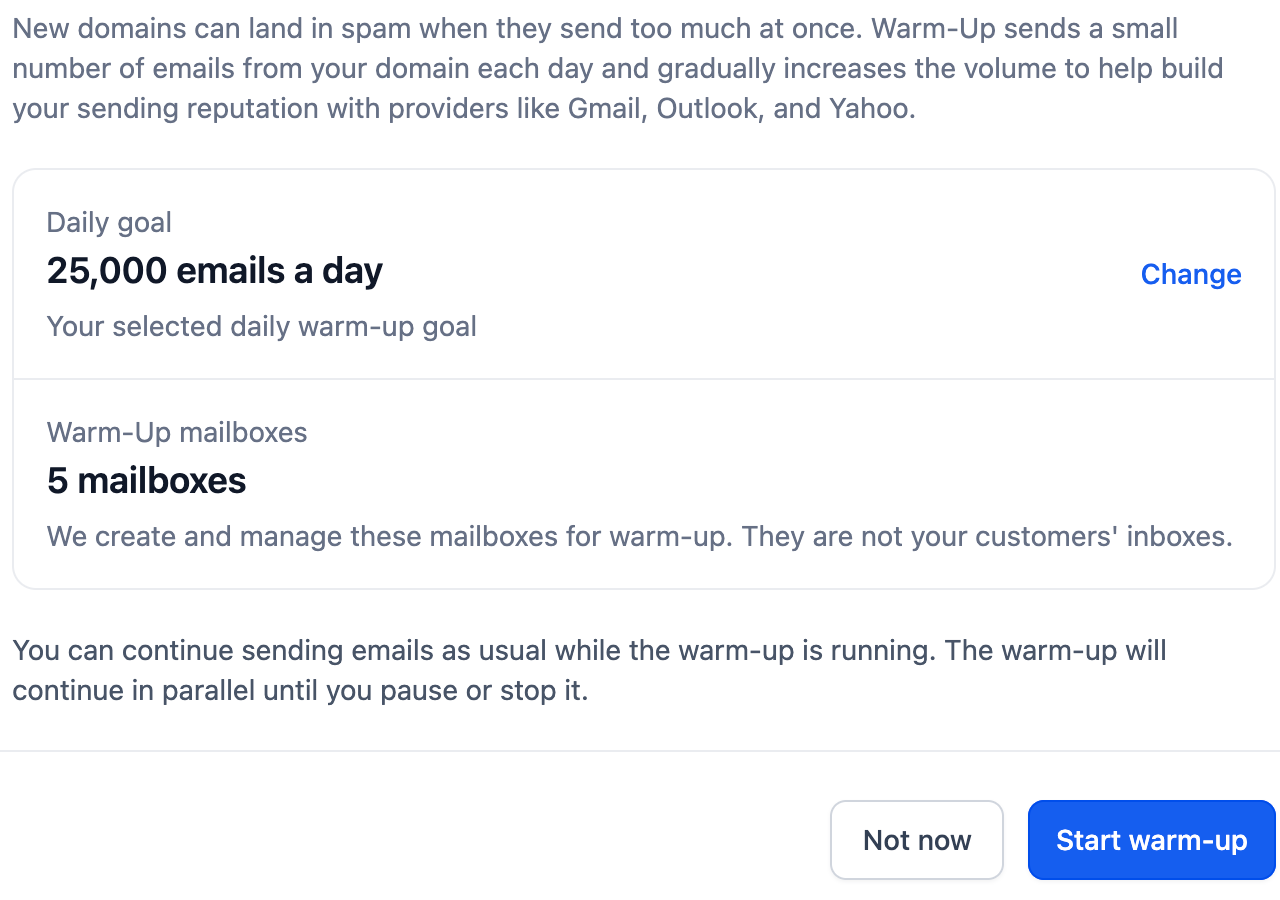
Domain Warm-Up is a native email feature for approved beta accounts. It requires a verified dedicated domain with SSL issued. Existing domains need manual enablement. The service creates and manages warm-up mailboxes, rather than sending warm-up messages to your customer contacts.
Choose a daily goal and review progress, with pause and stop controls available. The goal is a ceiling, not a guaranteed send volume. Normal sending limits still apply, reporting can lag by one to two days, and enabling warm-up replaces the previous domain ramp-up behaviour.
Check access and conditions before enabling
The official guidance describes warm-up as free for approved beta accounts at present, with post-beta pricing unannounced. Review the domain and DNS report and your account’s current terms before enabling it. Warm-up does not guarantee sender reputation, delivery or placement in the inbox.