Offer membership tiers and paid community channels
Give members a choice of paid plans, bundle access to content, and offer individual private channels with their own pricing.
- Creator Platform

Give members a choice of plans
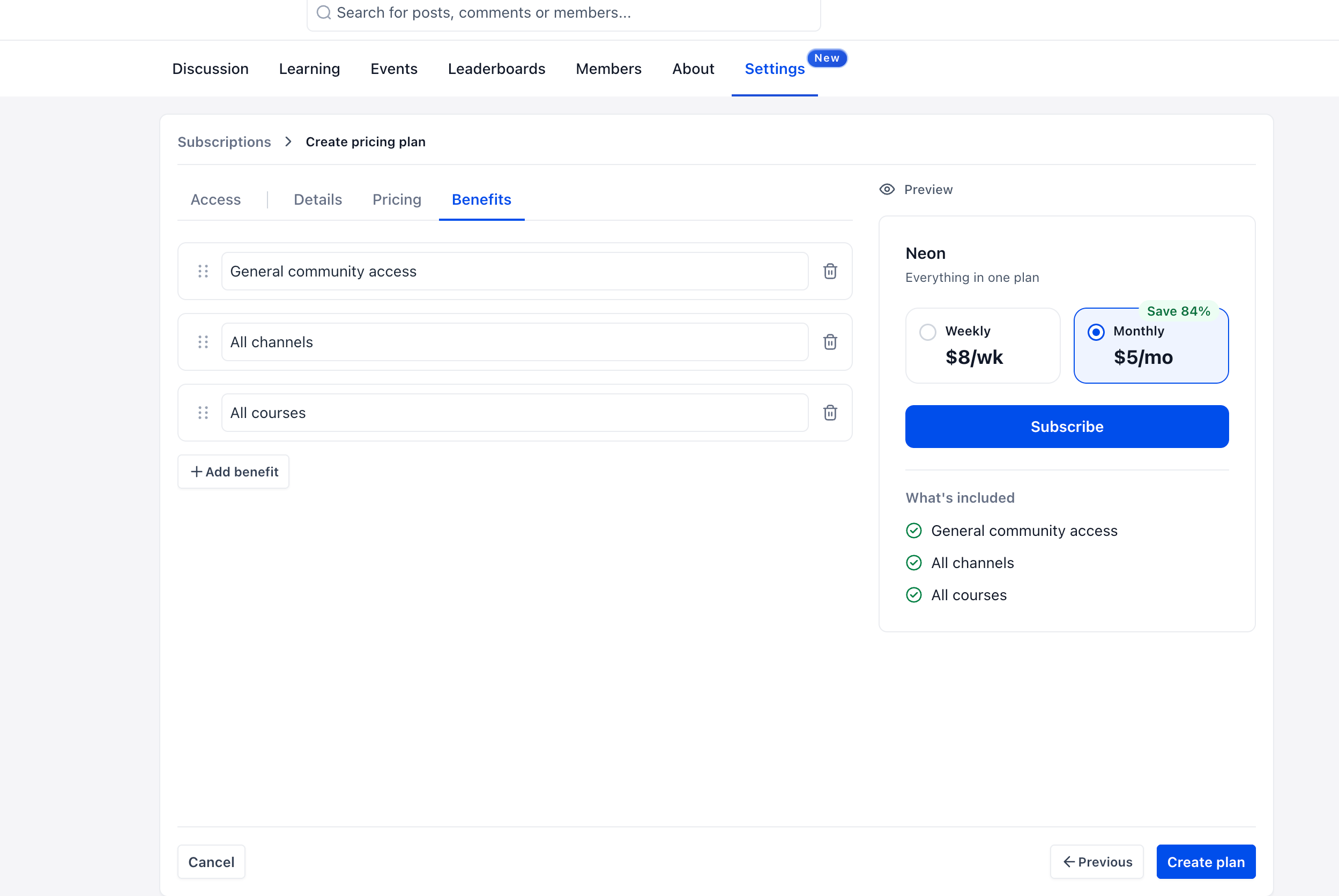
A community can now offer several paid membership plans in one place. Give each tier a name, description and benefits, then choose weekly, monthly, yearly or one-time pricing. You can also configure an optional free trial for each plan.
Bundle selected private channels, paid events, and paid or private courses into a tier, or offer full access. The benefits preview helps you explain what each plan includes before activating it.
Make plans easier to compare
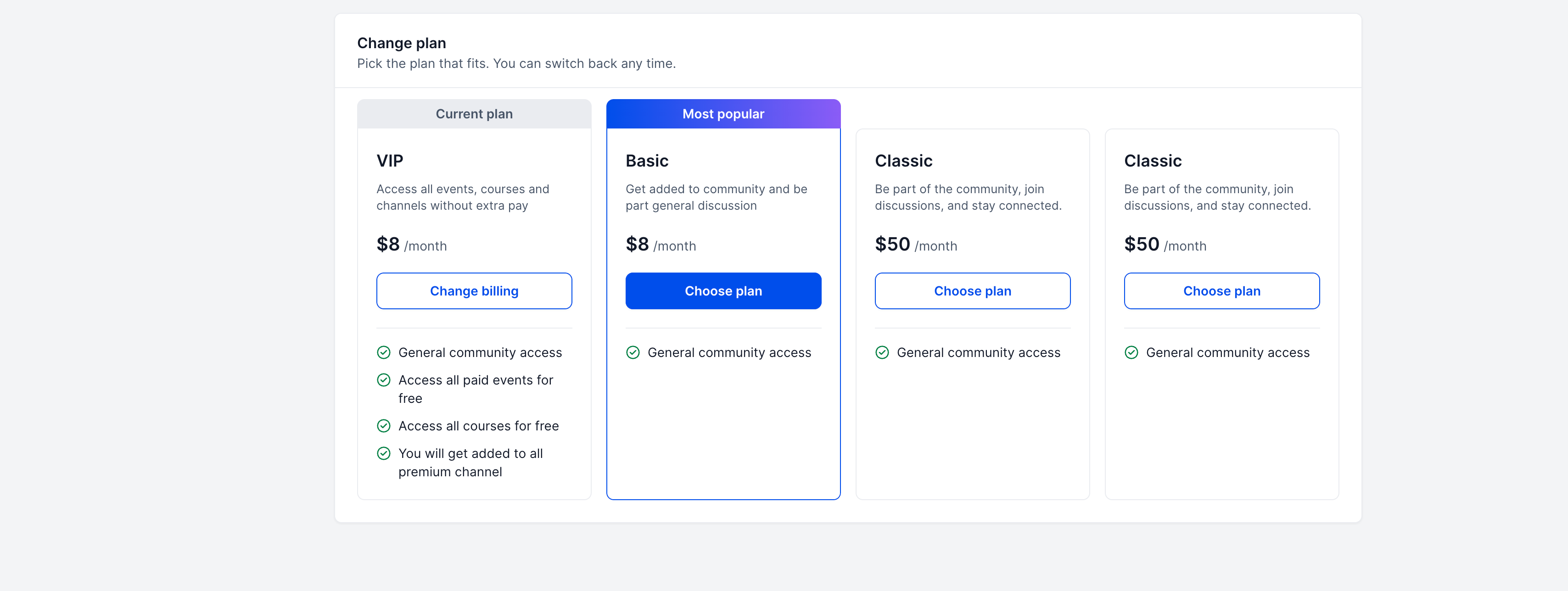
Members can compare available plans and switch to a different tier or billing option. Their existing subscription stays active until the new subscription is confirmed, and access follows the newly selected plan.
Manage plans in your community under Settings → Subscriptions. A configurable free tier is still listed as coming soon. The existing option to make the whole community free pauses paid plans.
Offer a paid space inside your community
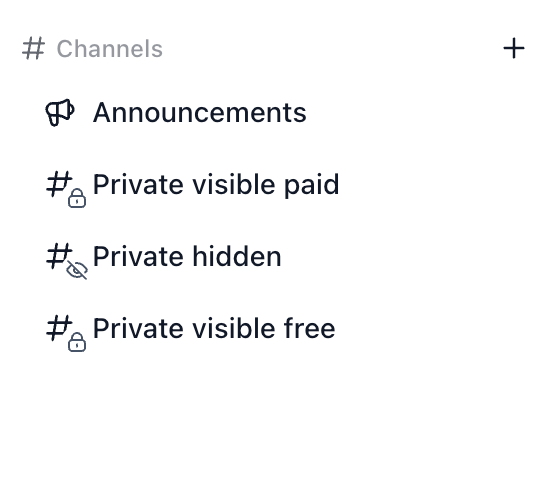
Private channels can now be visible or hidden. A visible private channel appears in the sidebar with a lock icon: members can see its name and description, while posts stay restricted until they join. Hidden channels remain off the list for people who have not joined.
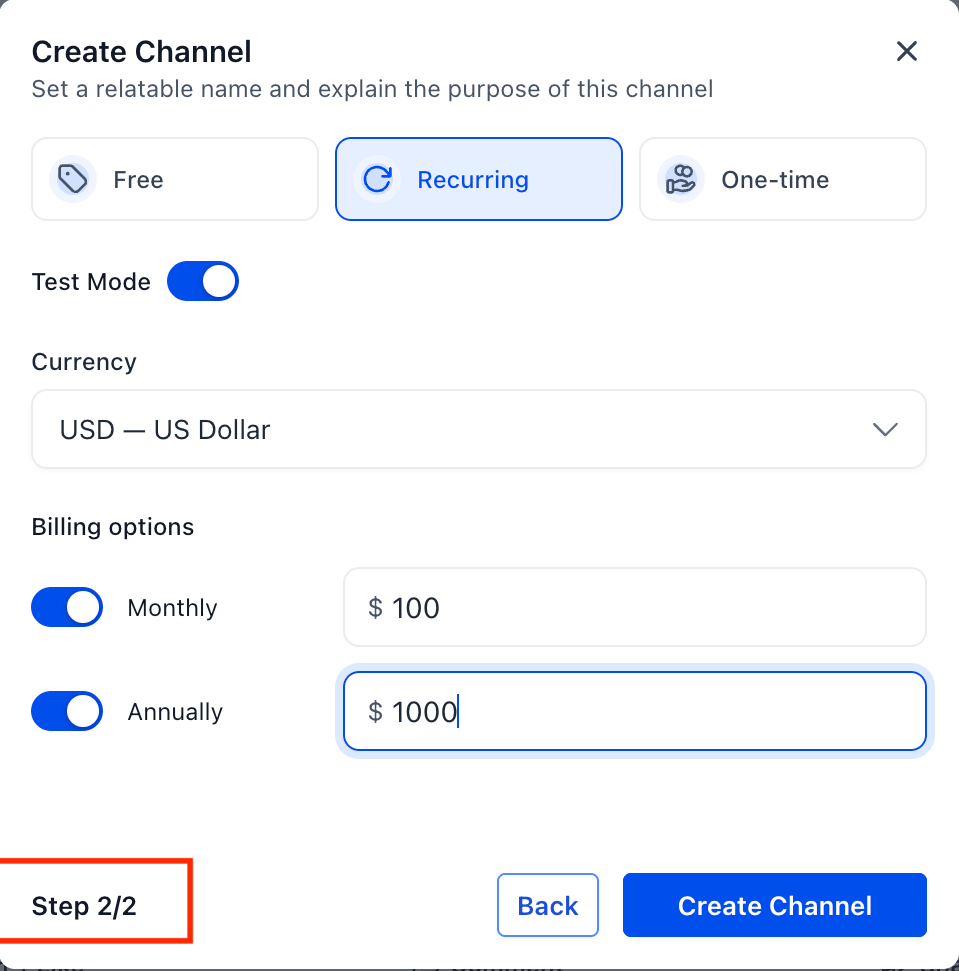
When creating a private channel, choose free access, a recurring monthly or annual subscription, or a one-time payment for permanent access. Configure the currency and billing options in the second setup step. Read-only channels can also be visible or paid.
Let members join from the channel
Members who open a visible paid channel can review its details and continue through the payment flow to join. Paid channels are supported on web and mobile, where members use Enroll now.
These controls are for administrators who manage a community and depend on the plans, channels and content you configure. Start from the + control beside Channels to create a channel, or use Settings → Subscriptions for community plans. The screens below are official public demonstrations; their names, prices and benefits are examples, not Creator Labs plans.