Keep email designs consistent across screens
Set up brand colours from the email builder, preview designs with saved colours, and adjust supported mobile styles separately. Brand Board typography mappings remain separate from builder application.
- Creator Platform

Start a brand board where you design
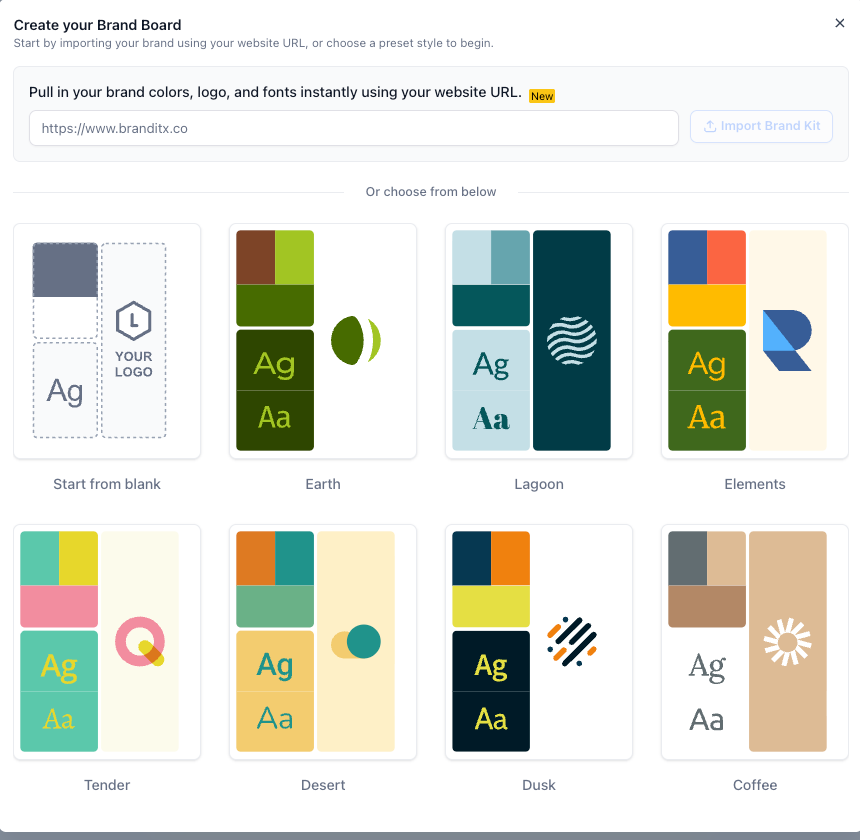
If your workspace has no Brand Board yet, the email colour picker can open a quick setup flow. Import from a website, choose a starting preset or begin from blank, then review the colours, fonts and logo before saving. This shortcut is for first-time setup, rather than editing or switching existing boards.
Preview a design in your saved colours
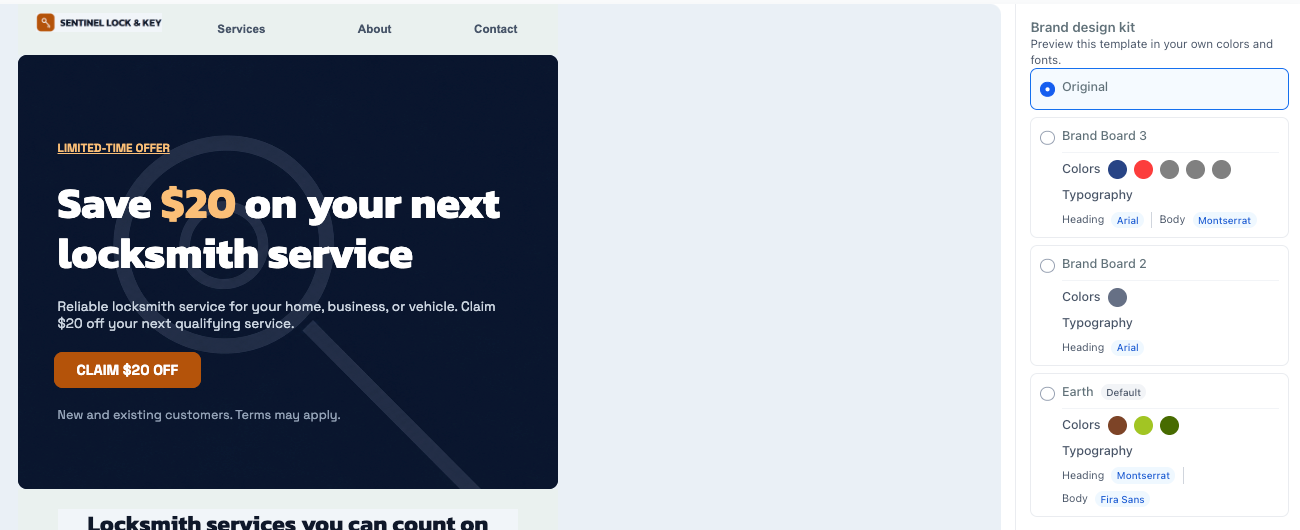
Supported email template previews can show saved Brand Board colours before you choose a design. Applying a design uses the selected colour treatment; later Brand Board edits do not retroactively recolour existing emails.
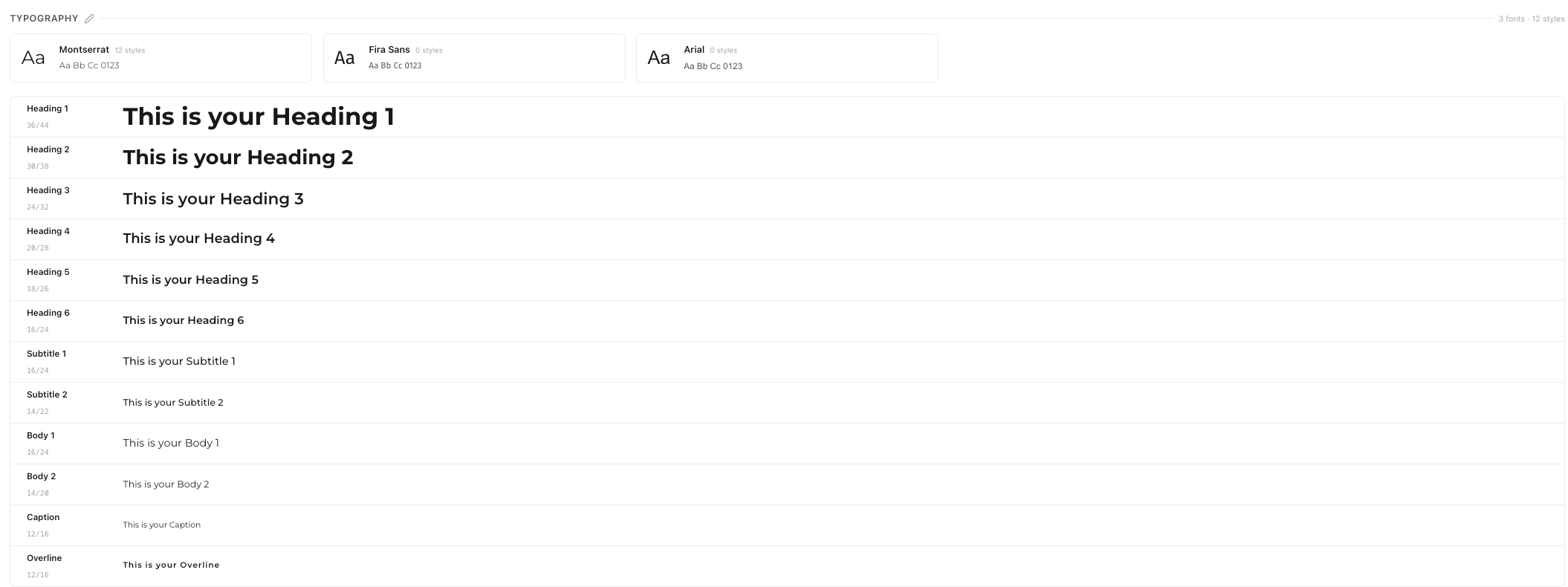
Brand Boards also offer a typography hierarchy from headings and subtitles to body, caption and overline styles. You can map fonts and preview those styles in the board. Automatic use of that hierarchy in builders is future work, so it should not be treated as email typography synchronisation.
Switch the starting design deliberately
The Design email editor now has a template-switcher entry in its toolbar. It asks for confirmation before replacing the canvas, helping you make that choice explicitly while working on an email.
Give mobile its own supported styles
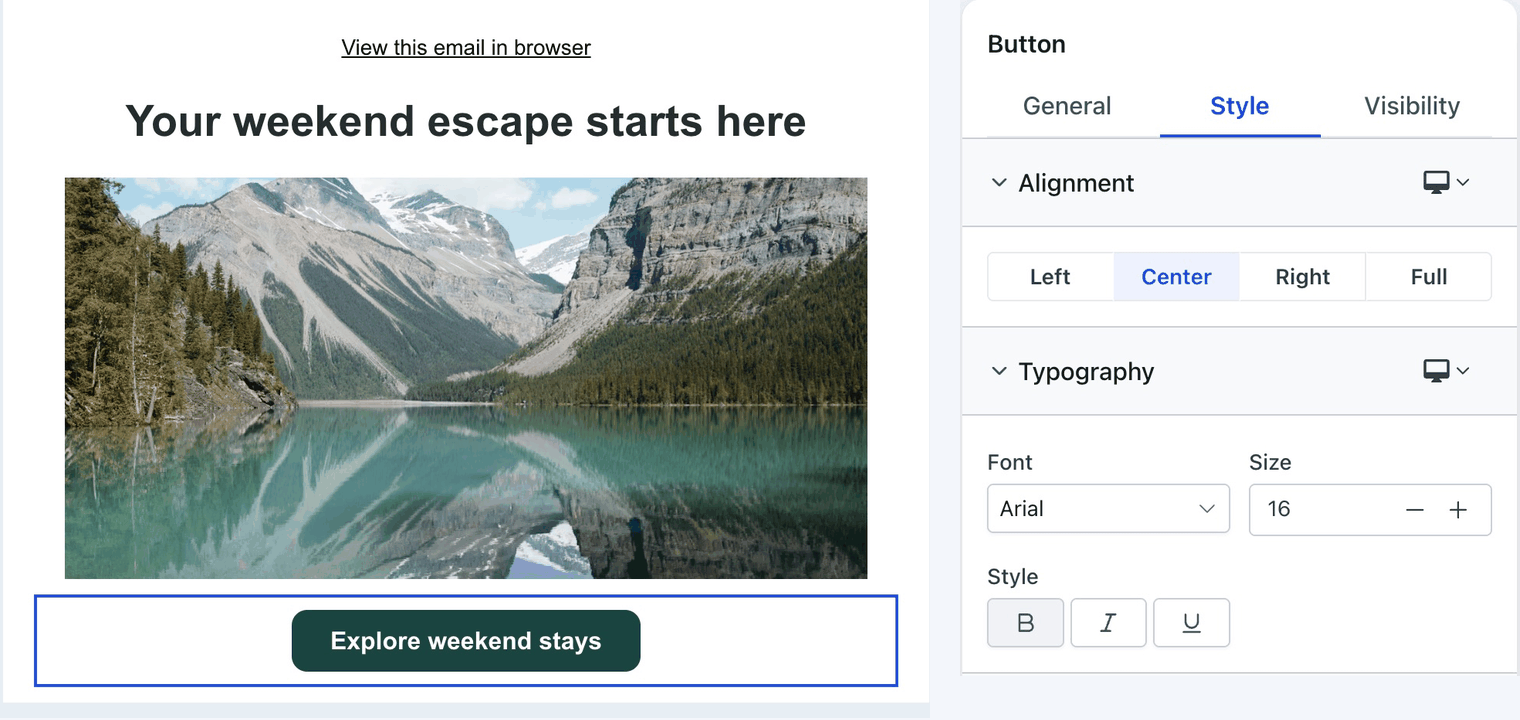
Supported elements can have mobile spacing, alignment, dimensions and aspect-ratio settings. Mobile inherits desktop styling until you add an override. Review both device views before using the design; these controls do not guarantee identical rendering in every email client.
Existing campaigns stay as they are until you intentionally edit them.
Find the email tools in a refreshed layout
Email Marketing has refreshed campaign, template, statistics, detail, settings and builder screens. Previously loaded tools can be reused as you move through the area. The layout refresh does not establish a particular loading-time or campaign-performance result.