Introducing Creator Links: branded links you can manage
Launch with your own domain, keep shared URLs useful when destinations change, and see the clicks they receive. Manage Creator Links in your workspace or through your connected agent.
- Creator Platform
- Creator Agents

A workspace for the links behind your launch
A product launch leaves links in newsletters, social posts, community conversations and presentations. Those links still matter after launch day, even when the page behind them needs to change.
Creator Links brings branded short links, click reporting and ongoing link management into one workspace. Use your own domain, choose an address people can read, and manage what happens after you share it. You can work in Creator Platform or give the same job to your connected agent through Creator Agents.
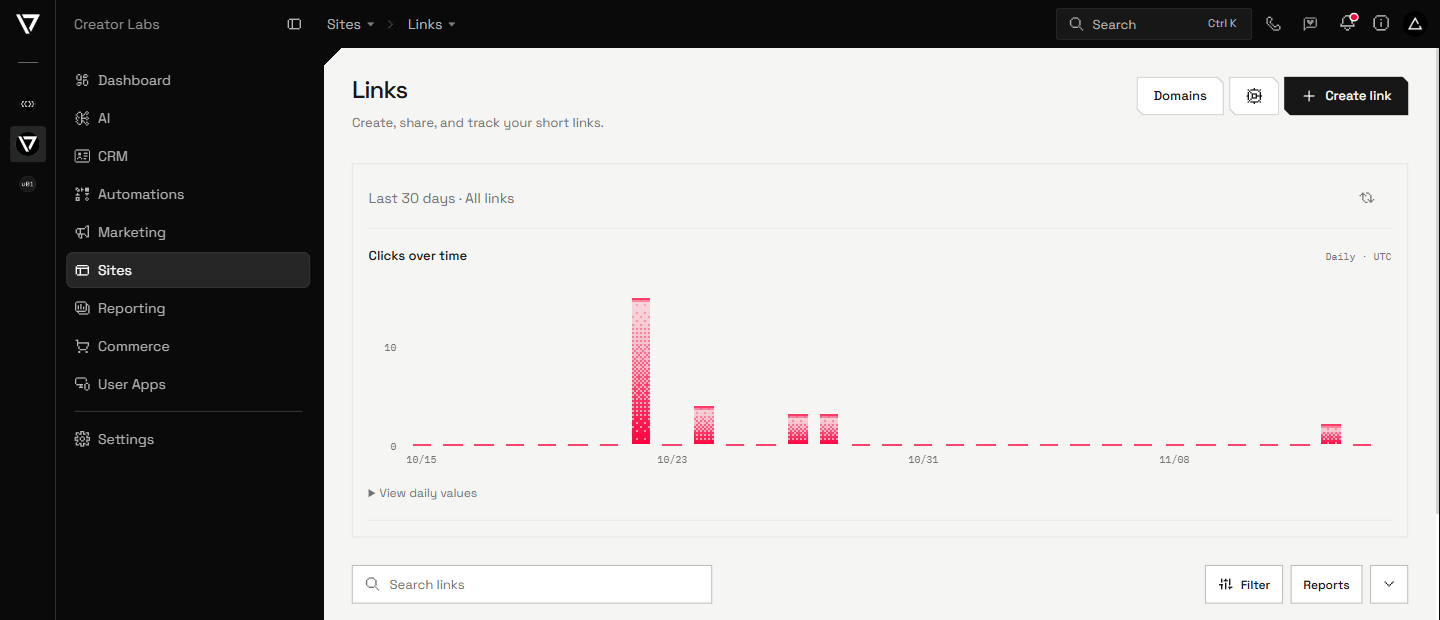
The latest additions make that workspace more useful: self-service custom domains with managed HTTPS, a saved default domain for your account, a 30-day click overview and direct access under Sites in Creator Platform.
Put your brand in the address
Connect a custom hostname in Domains, add the DNS records shown for your account, and follow its ownership, routing and HTTPS checks. Managed HTTPS is part of setup. Once the domain is Ready, you can select it for new links.
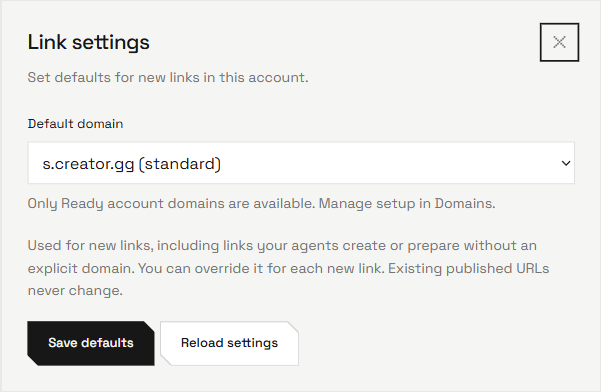
Choose a readable path such as launch-guide or release/notes instead of a random string. Use s.creator.gg when you do not need a custom domain. In Link settings, save your preferred domain as the account default so new links, including those your agent prepares, use it unless you choose an override.
Defaults apply to new links. They never rewrite an address you have already published. A root domain needs a DNS provider that supports CNAME flattening, ALIAS or ANAME; a hostname such as links.example.com uses the standard CNAME setup.
Prepare links for the places you share
Use the UTM builder for campaign parameters, or ask your agent to prepare a tracked link for a particular email, social channel or placement. Everyday links have tracking defaults built in, so a quick resource link does not need a campaign-planning exercise.
Download a QR code for the same short URL when you need it in a presentation or printed material. Search and filter your link collection, then export a filtered CSV when you need a working list outside the app.
Change the destination without replacing the link
When a launch page moves or an offer changes, update the saved destination. The published short address stays the same, so the links and QR codes already in circulation can point to the updated page.
Pause a link for a reversible stop, set an expiry for a time-limited destination, or archive it when it is finished. Archiving permanently stops the link and retires its path. Published hostnames and paths cannot be renamed; changing either means creating a new link.
Control the preview, and how the page opens
Links inherit the destination's public title, description and image. Edit the preview when a launch needs different wording or artwork, or return to the destination defaults. Sharing services can cache an older card after an edit.
Redirects are the default. Optional link cloaking keeps the short URL in the address bar while a compatible HTTPS destination opens inside a full-page frame. The destination must allow embedding, and sign-in or payment flows may work differently. Cloaking is a branding option, not a way to hide a destination or bypass its restrictions.
See the clicks behind the link
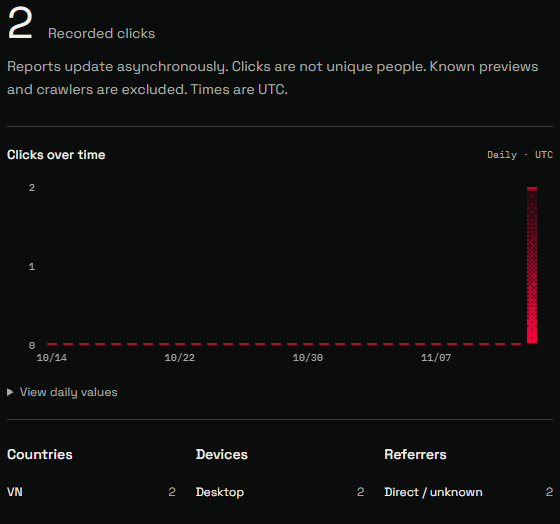
The Links page shows click activity across your account for the last 30 days. Open Reports for daily activity and available country, device and referring-site breakdowns, across your workspace or for an individual link. Reporting periods cover seven days, 30 days or three months.
These are click reports, not unique-person counts or conversion attribution. Reports update asynchronously, sampled counts are estimates, and history covers a rolling three months. Known previews, crawlers, HEAD requests and failed redirects are excluded. The application does not persist visitor cookies or raw IP addresses in these click events.
Give your agent the same link controls
Your connected agent can create and prepare links, update destinations and previews, manage domains and defaults, and read click reports in the connected workspace. You do not need to switch to a separate link service just to hand that work to your agent.
For example, ask it to prepare a tracked launch-guide link for your newsletter using your account's default domain. Preparing that link makes it available to use. It does not send the newsletter or publish a social post.
Open Creator Links
Open Sites → Links in Creator Platform, or Links in Creator Agents. Start with a destination and a readable path, then add your domain, preview or expiry when the placement needs it.
Link management is included for enabled Creator Platform workspaces, not free preparation-only accounts. Current standard limits are 1,000 non-archived links per workspace and 100 creations per UTC day. Bulk import is not included.