Import and sync customer data with your agent
New shared guides help your agent choose an existing route for customer imports and ongoing signup feeds. They explain contact matching, company handoffs and safe retries, without adding a new sync engine.
- Creator Agents
- Creator Platform

Give your agent the right ingestion instructions
Creator Labs now has shared guides for bringing product signups and customer records into your CRM. They distinguish an initial import from an ongoing feed, explain which existing contact tools can act, and show when to continue in Creator Platform. This is documentation and discovery support, not a new sync engine or an automatically activated integration.
Ask your connected agent to find the data-ingestion guide. Existing connected hosts can retrieve the maintained instructions without reconnecting. Publishing the guides does not silently update installed skills or cached tool metadata on your computer; use the supported refresh or kit update if needed.
Choose the route that fits your feed
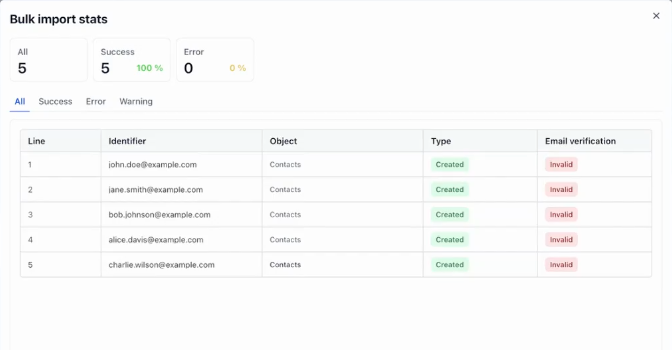
For a CSV import, the contact import tool opens the native import screen; it does not run the import itself. Existing contact tools can create or update records within the connected account’s permissions. For an ongoing signup feed, the guide also covers a native Inbound Webhook workflow with contact matching, a found-contact update and a not-found create.
A native webhook uses its generated secret URL, not a separate app connection or private integration key. Software calling Creator tools uses its own named Creator app connection. If your chosen integration genuinely needs a private integration credential, an authorized human can create or reuse a named integration in Settings > Private Integrations, where available. There is no automatic key-minting tool.
Honor the owner’s selected permissions, including ALL available scopes when explicitly chosen. Account access still applies. Store credentials only in the authorized destination’s private secret field or server-side secret store, never in chat, source code or browser bundles. Native feature availability and usage charges depend on the account and selected route.
Start with future signups if that is all you need
Ongoing email matching is a supported choice. A forward-only feed does not require an external-ID field, a backfill or a historical import. Stable source IDs and saved CRM IDs can still help when email changes, but they are optional design choices, not prerequisites.
Preserve fields, tags, opt-outs and preferences that the integration does not own. Importing a contact is not marketing consent. Company reads are available to agents; company creation and relationship editing still use supported Creator Platform screens or enabled native actions. A tool that returns a screen link has handed off the work, not completed a company or relationship write.
Check saved records, not just accepted requests
The guides explain how to retain operation identities, inspect returned records and reconcile uncertain results before retrying. A timeout does not prove a write failed, and a webhook acknowledgement does not prove every workflow step finished.
Report setup, activation, contact values and company links separately. The shared guidance is live; whether a particular customer feed is configured, enabled and verified depends on that customer’s actual account and requested work.