Distribute contacts across workflow paths
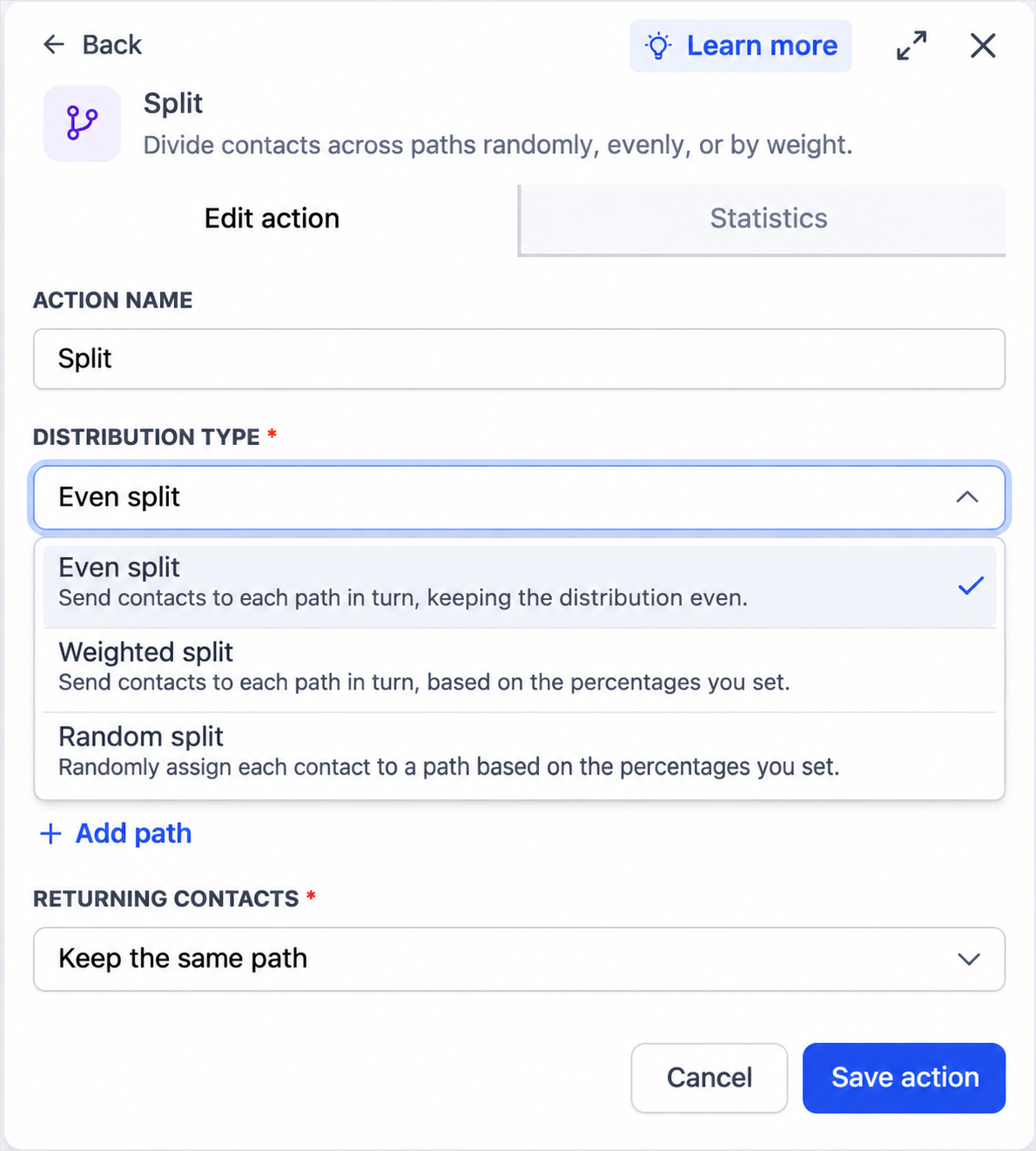
Split product onboarding or lifecycle follow-up into balanced paths with Even split, or use Weighted split for different shares. Random split remains available, but equal percentages do not guarantee equal small groups.
- Creator Platform

Balance the next onboarding group
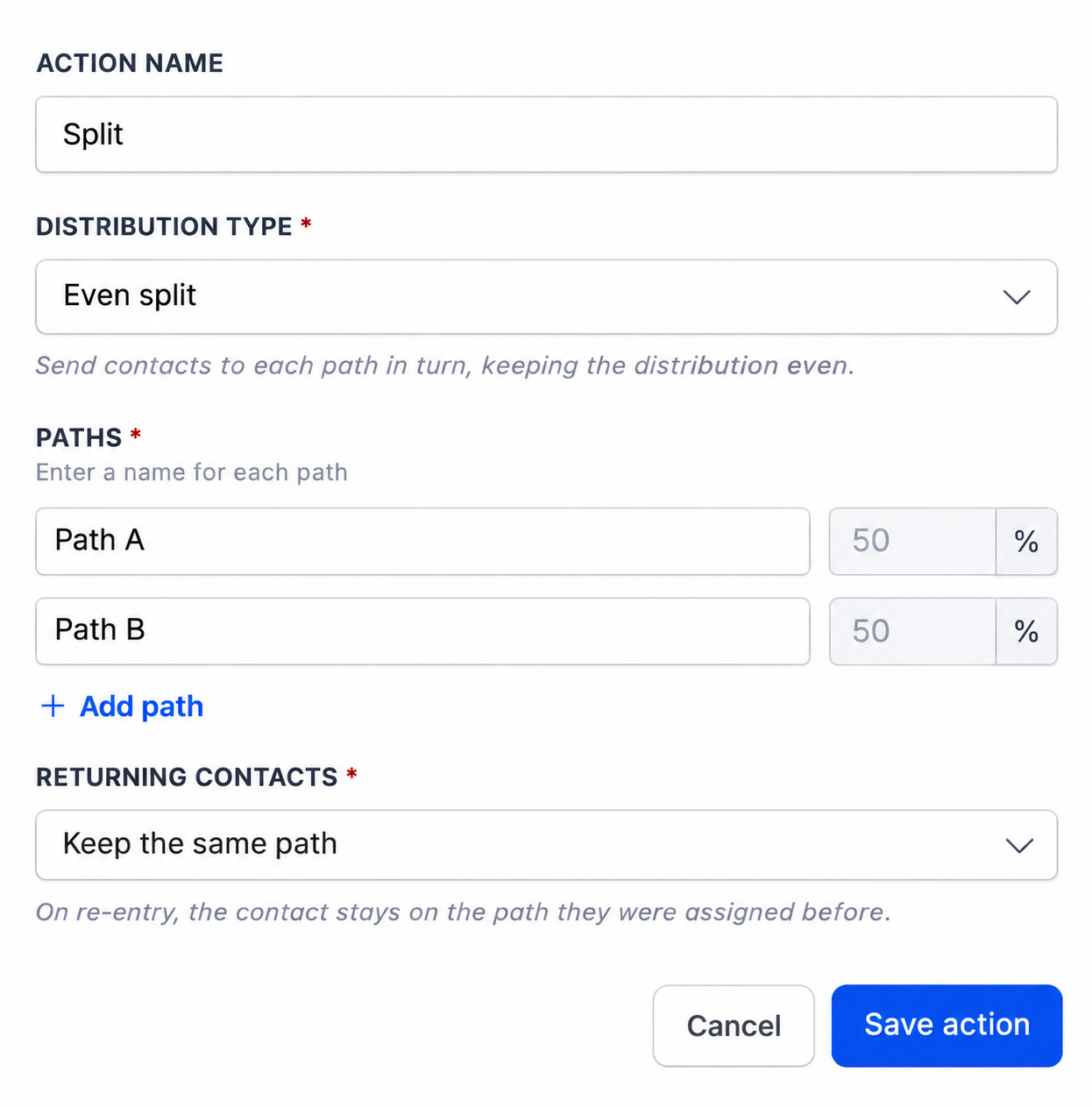
The Split action in Creator Platform workflows now offers Even split and Weighted split alongside Random split. Use Even split to distribute incoming product signups across onboarding or lifecycle follow-up paths in turn. It uses round-robin distribution rather than a random choice for each contact.
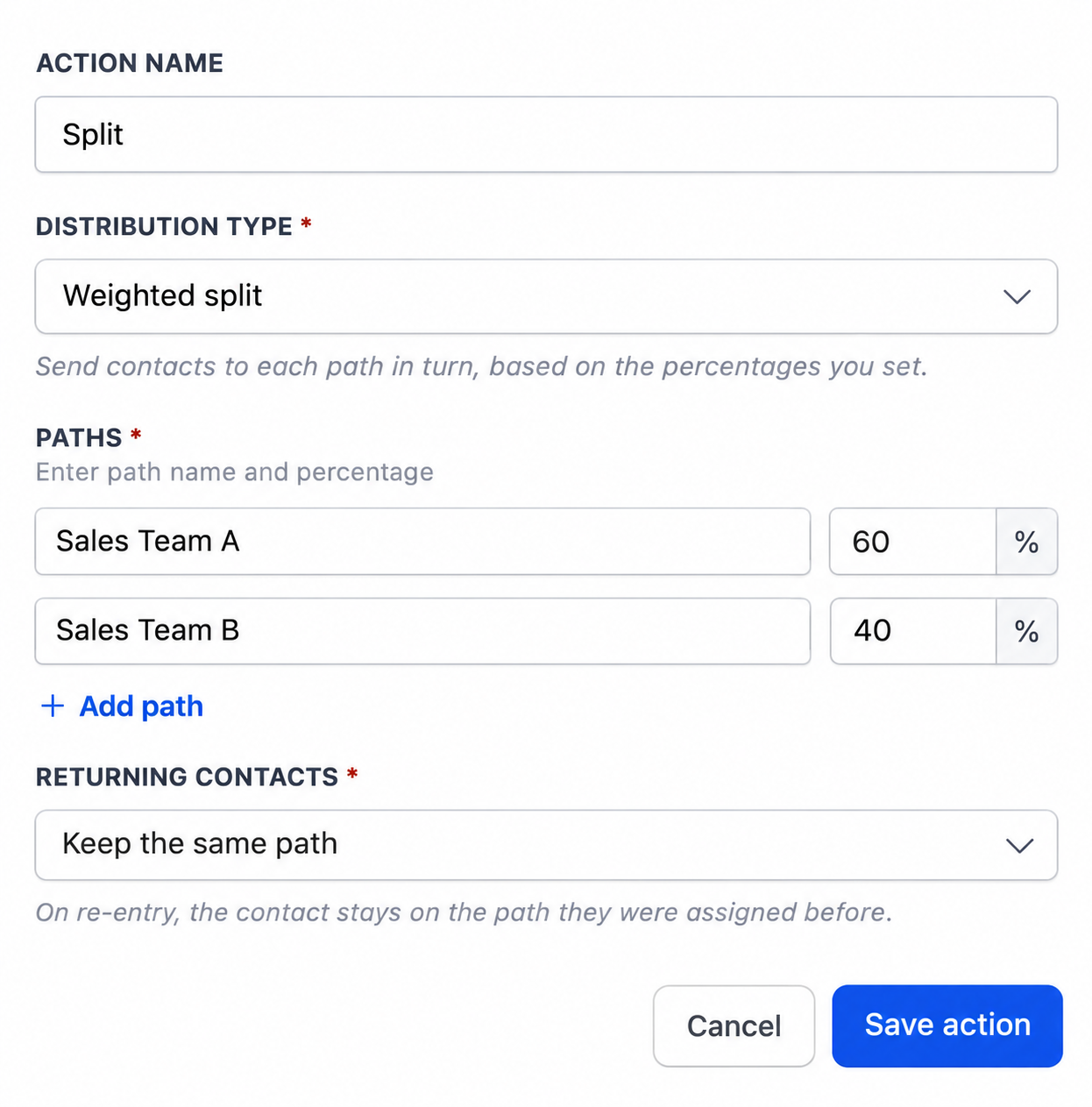
Weighted split also distributes contacts in turn, using the proportions you set. A 60/40 split sends three of every five newly distributed contacts to one path and two to the other. Use it when one follow-up journey should receive a larger share.
Choose distribution, not a promise of equal random groups
Random split still assigns each contact randomly according to the configured percentages. Equal percentages can produce unequal groups, especially when only a few contacts arrive. Existing Random split actions keep their configuration.
Even and Weighted split control distribution. They do not by themselves create a randomized experiment or demonstrate which onboarding journey works better. This is the Split action, separate from Router routing and Loop repetition.
Set paths before contacts enter
Open a workflow, add or edit Split, and choose Distribution Type. Name the paths. For Weighted split, enter whole-number percentages that total 100%. Save the action and publish the workflow when you are ready.
After contacts enter an Even or Weighted split, its distribution settings lock. Use Reset test to change them again. Saving the reset clears that split’s statistics and restarts its rotation, so keep any results you need before doing so.
With Returning contacts set to Keep the same path, a contact who re-enters follows the path assigned previously. These controls are in the native workflow editor; this update does not add Creator Agents workflow-writing support.