Help members find courses and keep discussions on track
Course filters make a growing learning library easier to browse. Keyword moderation gives admins a place to review member posts and comments before they appear.
- Creator Platform

Find a course that fits
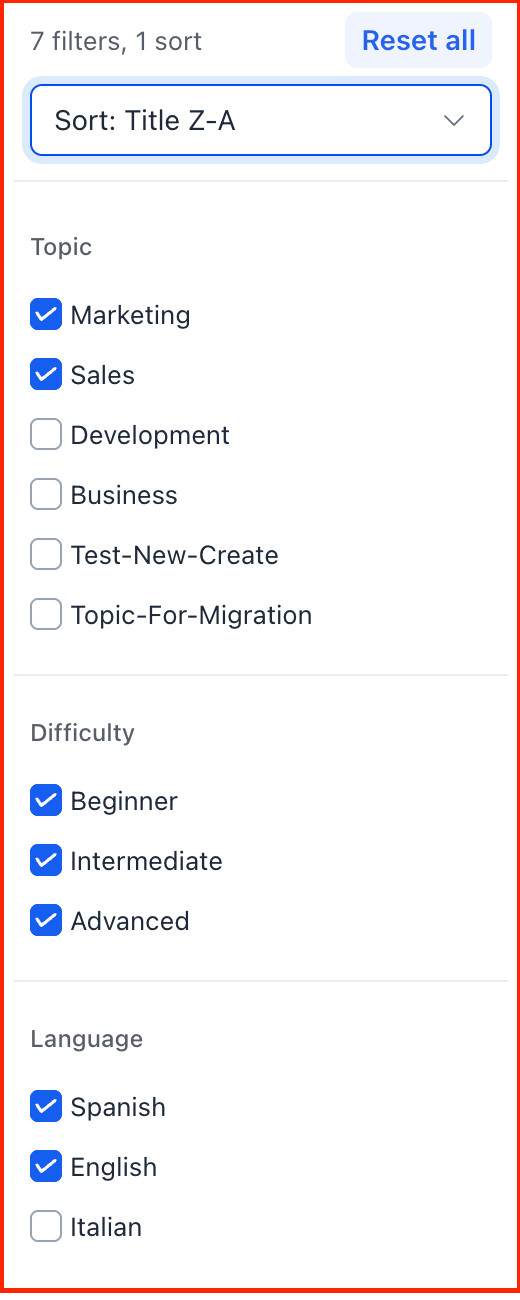
The Community Learning page can filter courses by Topic, Difficulty and Language. Members can combine filters and sort by title, newest or oldest on supported web and mobile experiences.
Course creators assign those values in the course builder. Adding them makes the relevant filter choices available to members while their existing course access still applies.
Hold matching member content for review
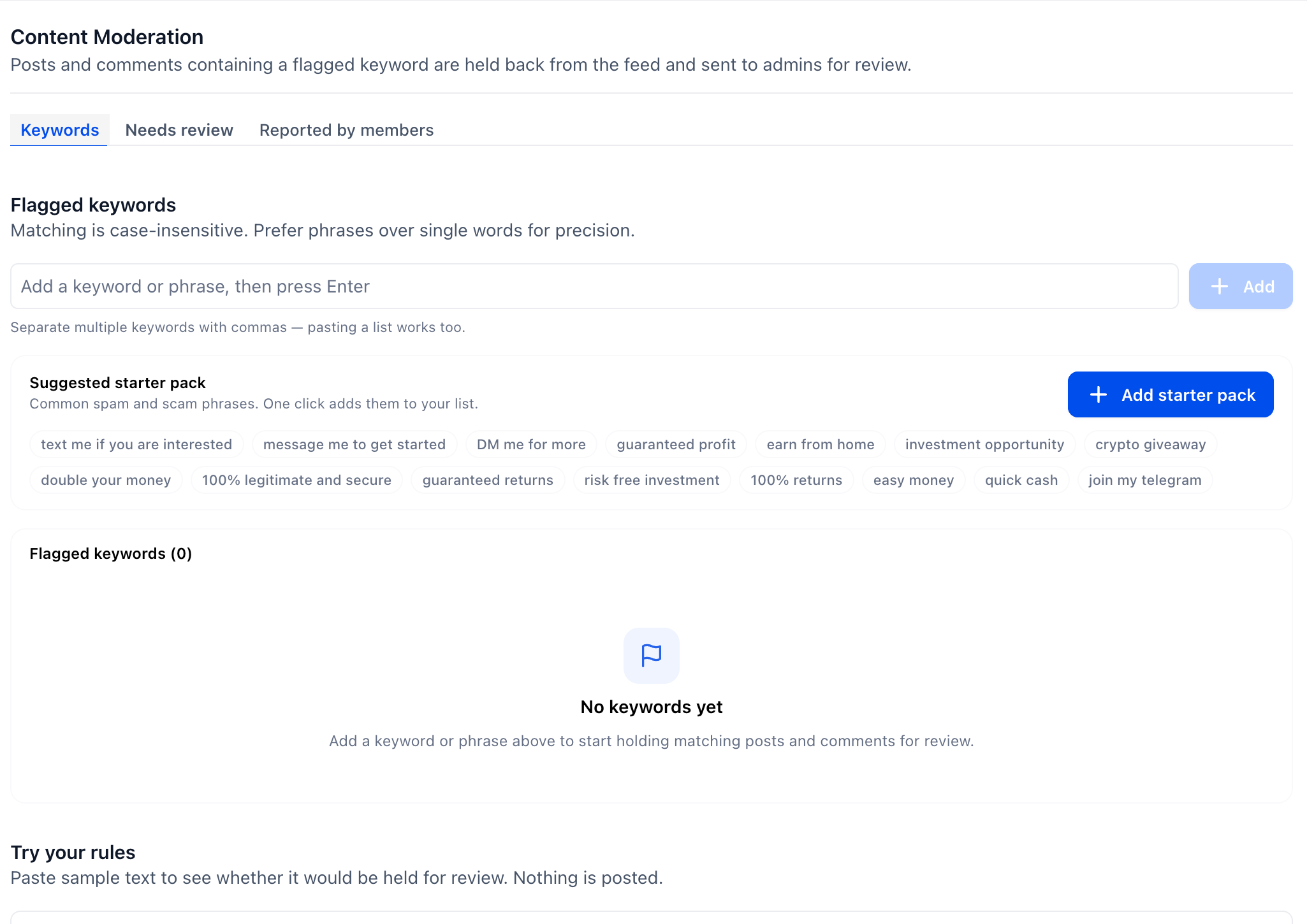
Community owners and admins can add flagged words, phrases or domains under Settings → Content Moderation. Matching member posts and comments stay out of the shared feed until an admin reviews them. Matching is case-insensitive; a specific phrase can be more useful than a broad single word.
The author can still see their own pending post marked In review. Owners and admins are exempt from keyword holds. A sample-text tool helps check rules before using them; AI spam detection is a future addition.
Keep the review queues clear
Needs review shows keyword matches and the reason they were held. Reported by members is a separate queue for content members have flagged. Admins can review the context and decide whether to publish, keep or remove the item.
Post and comment search also handles a wider range of typos, related wording and accented or non-English text, with results ranked by relevance.