Collect forms and share more inside WhatsApp
Turn an existing form into a WhatsApp Flow, present several options in a carousel, and choose a language for appointment booking. Each capability uses your configured WhatsApp connection and the required template approvals.
- Creator Platform

Let customers complete a form in the chat
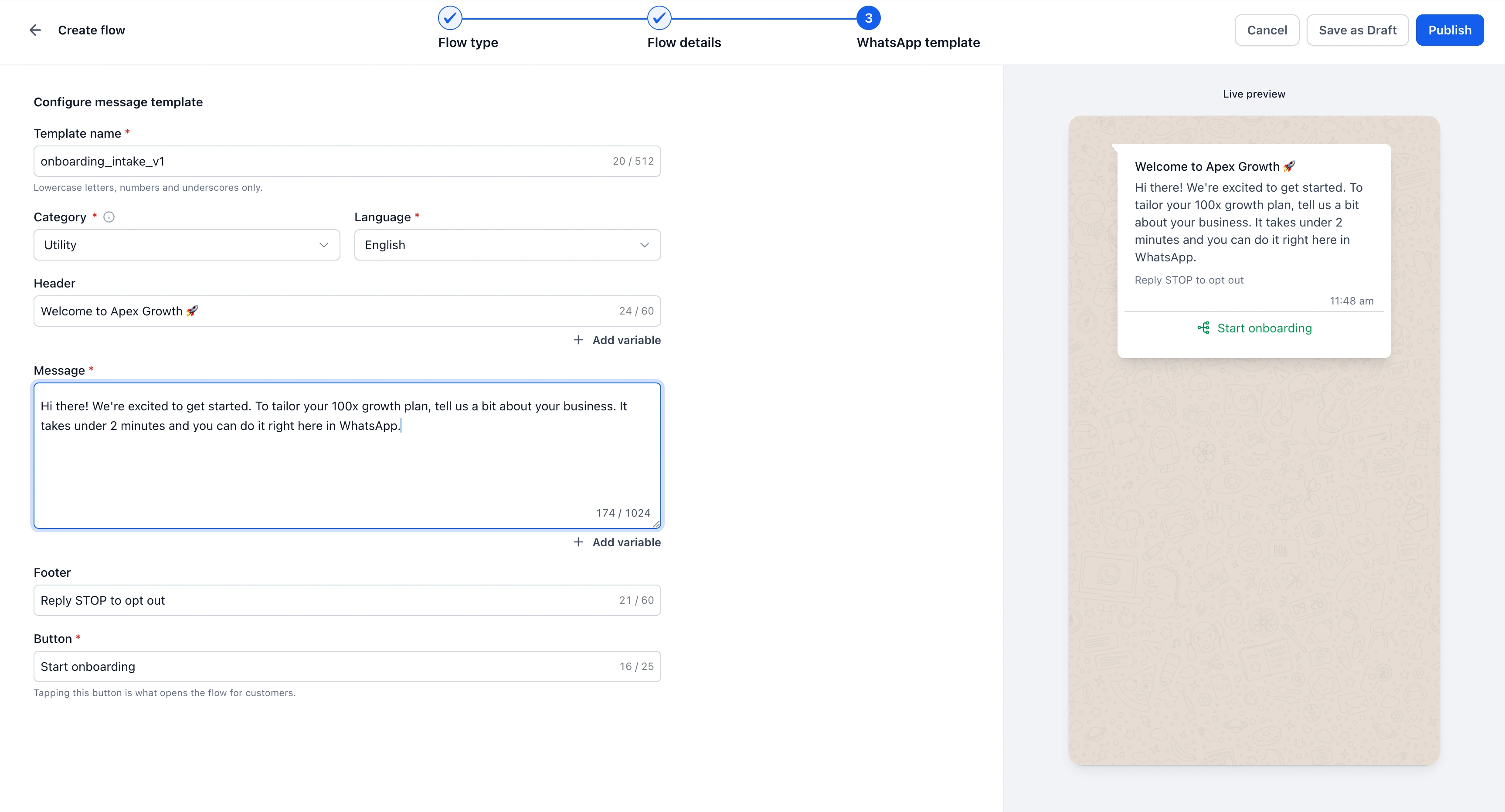
WhatsApp Flows can now use an existing form, so customers can submit supported fields without leaving WhatsApp. Open Settings > WhatsApp > Flows, create a flow and choose Form submission. Select your form and check the live preview before publishing.
Submissions appear under Forms > Submissions and map to the contact. A published flow keeps a snapshot of the form: later edits to the original form do not automatically update it. Review field support and the published version when changing your intake process.
Show several options in one message
Carousel templates support two to ten image or video cards, with up to two buttons on each card. They can present a small set of products, services or destinations in one WhatsApp message.
Create a Marketing carousel under Settings > WhatsApp > Templates and submit it for Meta approval. The approved card count is fixed, and cards must follow the required consistent media, body and button structure. Use the approved format when preparing messages.
Choose the language for appointment booking
Appointment-booking Flows now offer 11 languages across 13 regional options. Choose the language when setting up the booking flow under Settings > Communications > WhatsApp > Flows.
Form-based Flows display the language you authored in the form. Both experiences require your WhatsApp setup; sending a flow also requires its approved message template. Preview the customer journey before putting it into use.