Choose which HubSpot records you bring over
Filter a HubSpot import by creation or modification date, and review the records selected before starting.
- Creator Platform

Bring over the records you need
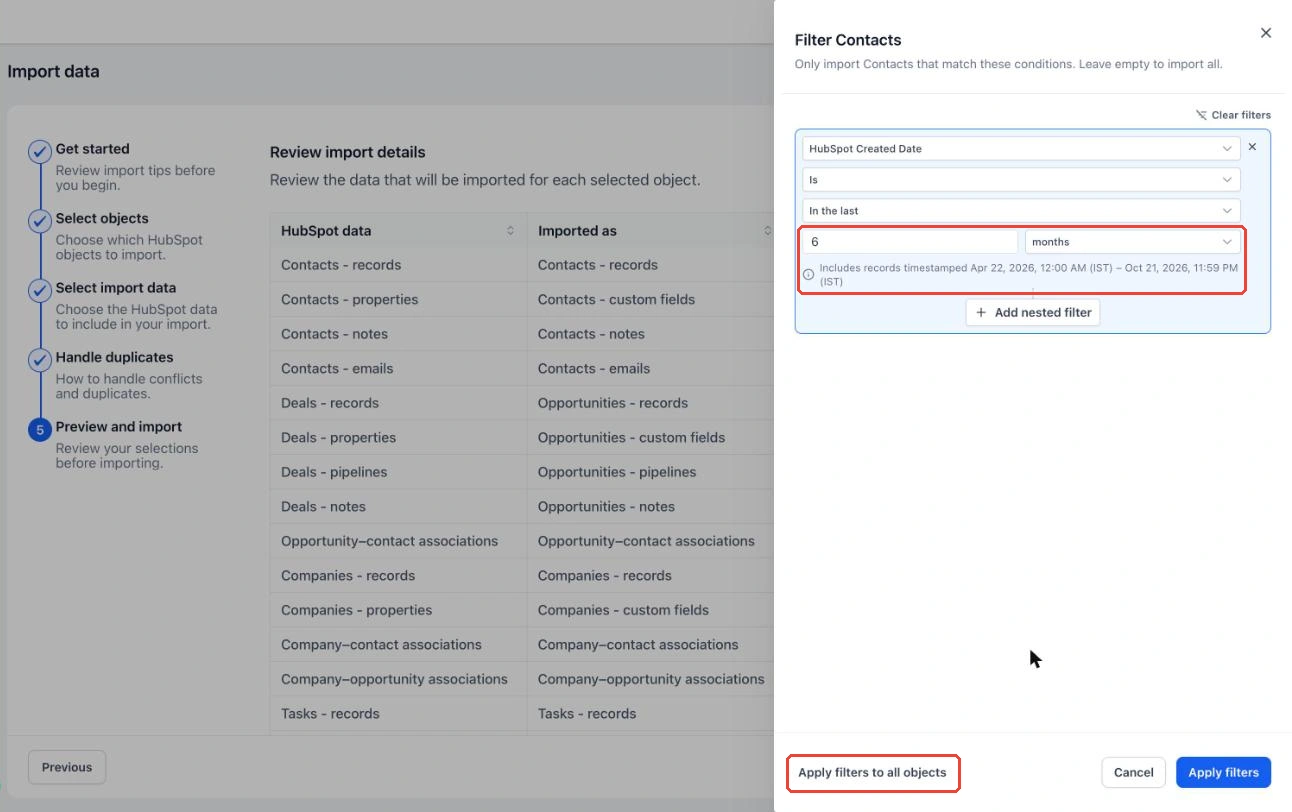
When you use the native HubSpot importer in Creator Platform, the preview lets you narrow contacts, deals, companies and tasks by when they were created or last modified in HubSpot. Choose a relative window or exact dates, and combine conditions with AND or OR.
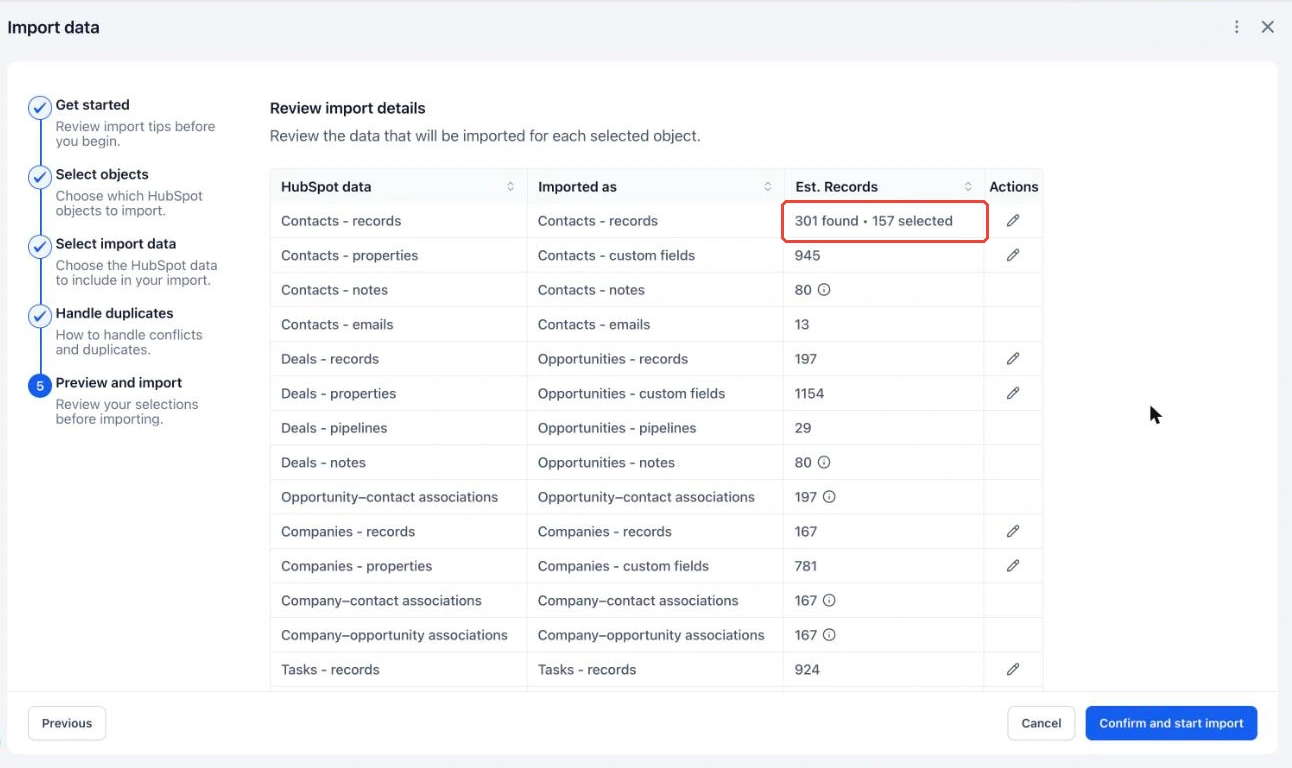
Review the selection first
The preview shows both the records found and the selection that will be imported. Apply conditions to one object or reuse them across the selected objects. Leaving a filter empty includes every record for that object. Relative In the last windows exclude today.
Start with an authorized connection
Open the Import menu for Contacts, Companies or Opportunities, connect the HubSpot account you are authorized to migrate, then review Preview and import. Filtering currently supports HubSpot Created Date and HubSpot Last Modified Date. Review the selected counts and field mappings before confirming an import.