Follow opt-ins and keep schema current
On published product pages, compare page views and opt-in rate by traffic source. On websites and funnels, review structured-data coverage before you save. These are separate surfaces, not a ranking or activation promise.
- Creator Platform

Measure acquisition experiments on published product pages
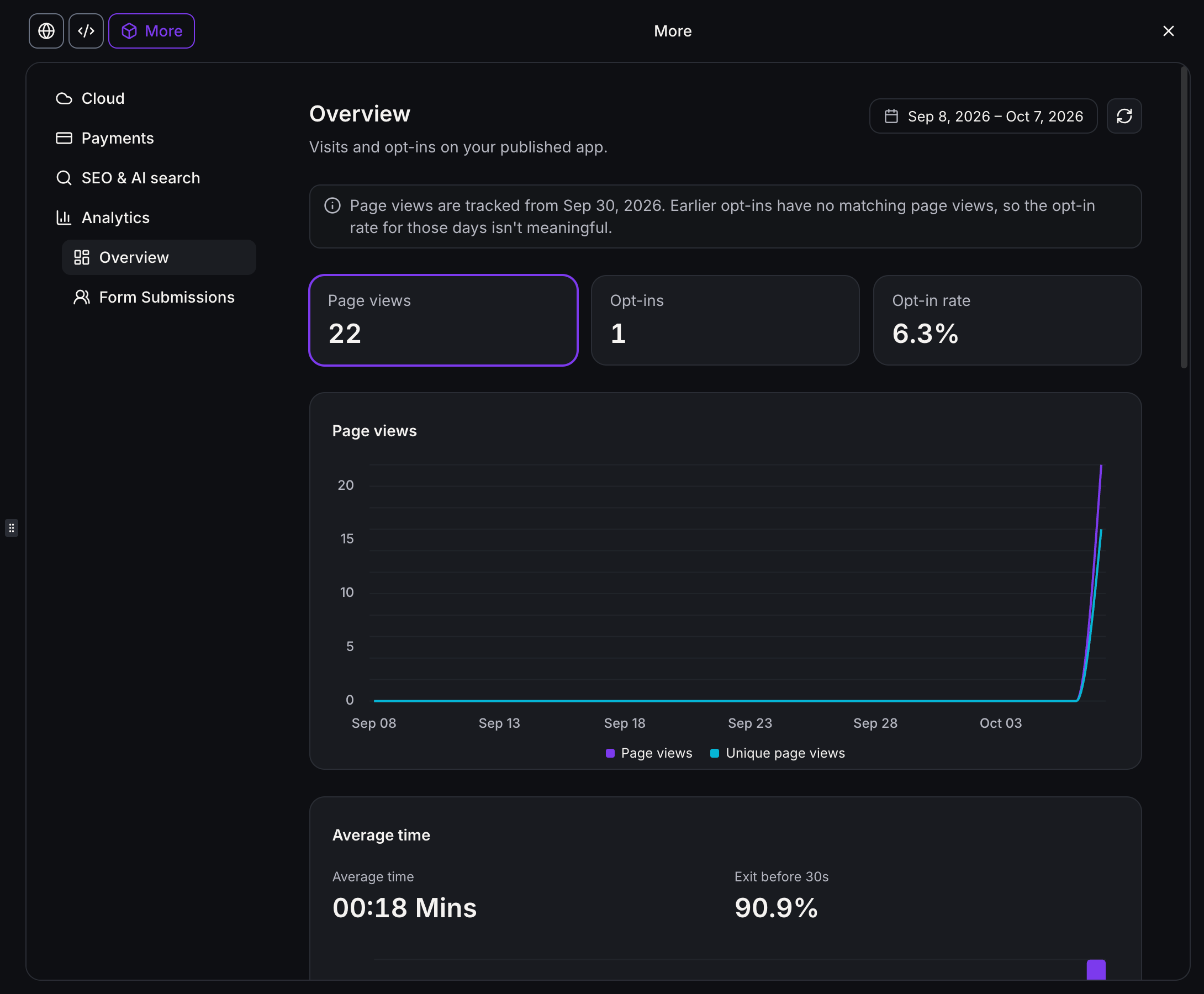
Published AI-built sites collect page views, unique visitors, opt-ins and opt-in rate inside the project, including change from the previous period. You can open top pages, time on page, traffic sources, devices, browsers and location breakdowns.
Form submissions for that site are listed with a link to the contact. Contacts created from the site keep pages viewed, the traffic source and the form they submitted. An opt-in is a page conversion, not product activation or revenue.
Compare AI-built sites next to websites and funnels in Sites analytics, or focus on one project. Older connected forms still count opt-ins. Linking a submission to the pages that visitor viewed first needs form tracking reconnected and the site published again. This reporting is for published AI-built sites, not every app.
Keep product-content schema accurate
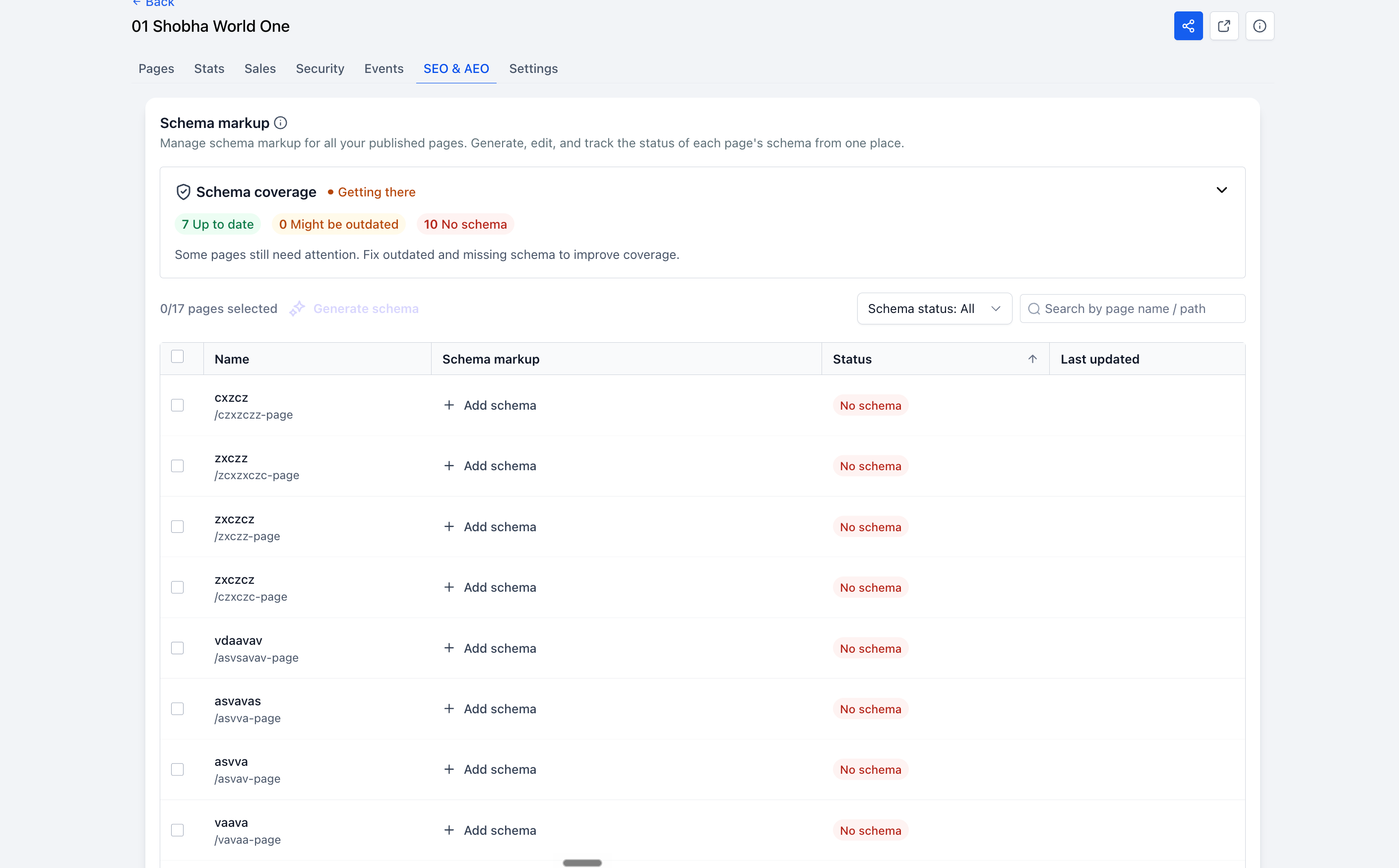
Websites and funnels have a separate SEO and AEO view for schema markup across published pages. Coverage is rated Needs work, Getting there, Good or Excellent, with counts for Up to date, Might be outdated and No schema.
You can generate or edit schema for one page or several, then review it. Nothing goes live until you save and publish. Generating schema on a page that already has schema replaces the current schema entirely.
Pages edited and republished two or more times since their schema was created are flagged Might be outdated. Eligible rich results are not a ranking, citation or conversion promise.
Where to find it
For AI-built site reporting, open the project, then More, Analytics, Overview or Form Submissions. Site-wide comparison is under Sites, Analytics.
For schema, open Sites, choose a website or funnel, then SEO and AEO.