Keep product feedback discussions useful
Hold rule-matching posts for review, find relevant discussions more easily, and let customers explain product issues with voice notes on web.
- Creator Platform

Give product feedback room to stay on topic
If you already use a community to discuss your product with customers, spam can bury useful reports. Creator Platform adds keyword-based review controls and better discussion search. On web, customers can also record or upload audio when an issue is easier to explain aloud.
Test rules before they hold a post
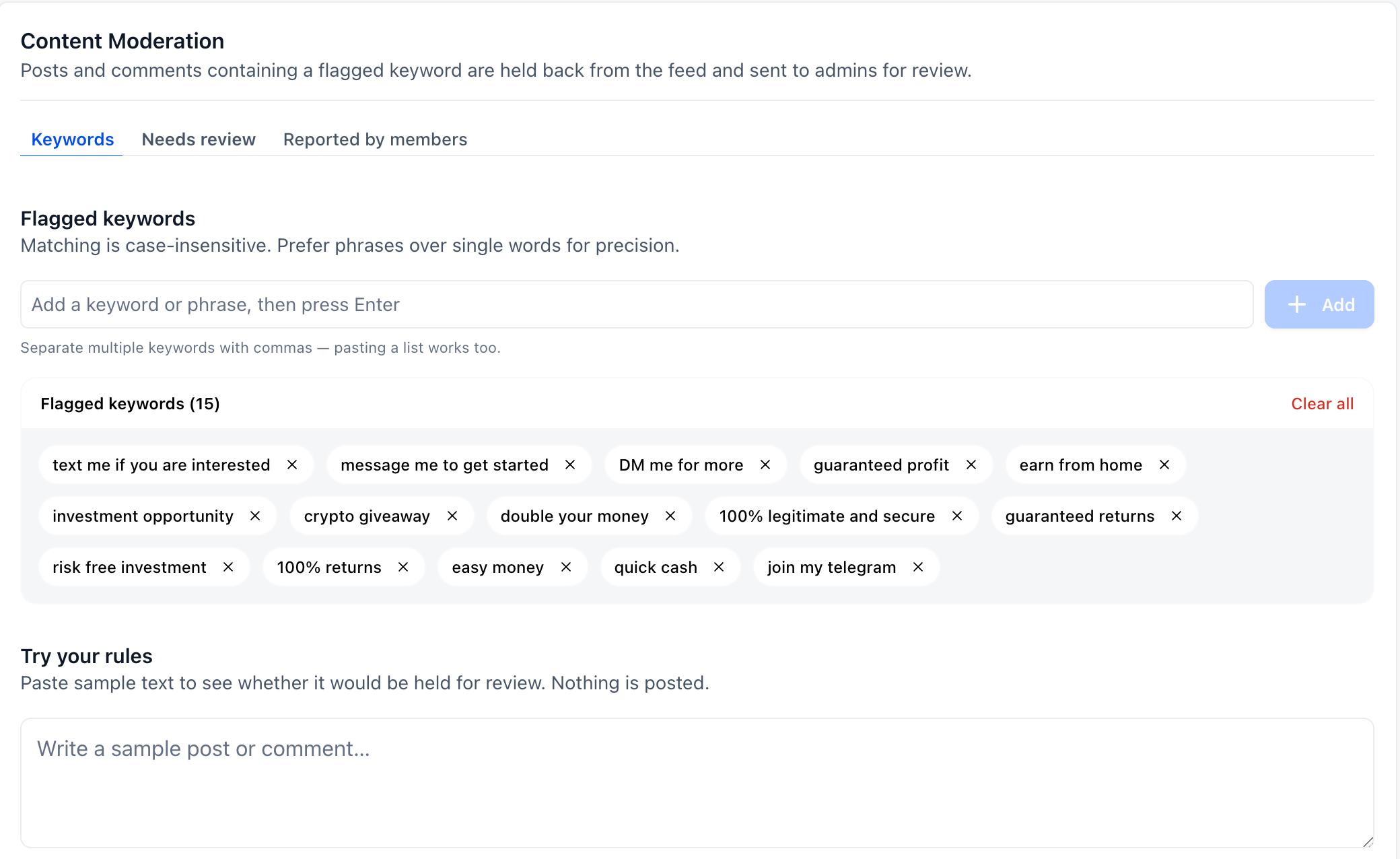
In Settings, open Content Moderation and add words, phrases or domains to flag. Matching ignores letter case; specific phrases can be more precise than single words. You can also load a starter set of common spam phrases.
Use Try your rules to check sample text before relying on a rule. The test does not publish a post.
Review flagged content separately from reports
A matching post or comment goes to Needs review instead of the shared feed. Admins can inspect the triggering keyword and full content, then choose Approve & publish or Remove. The author can still see their own pending post with an In review status; other members cannot see it until approval.
Content reported by members appears in a separate Reported by members tab, where admins can review the thread and choose Keep or Remove. Posts from admins and owners bypass keyword review.
Find earlier discussions even with imperfect wording
Post and comment search handles typos, synonyms, different phrasing and accented or non-English text. Results rank by relevance rather than simply showing the newest posts first, which can help customers find an earlier discussion of the same product issue.
Explain an issue with audio on web
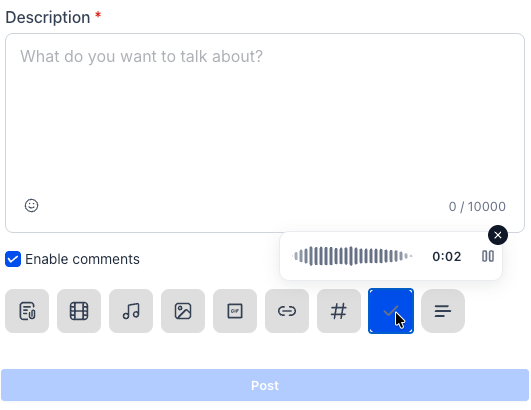
Use the microphone in a post or comment to record a voice note. You can pause, resume or cancel before sending. You can also upload audio files, with multiple audio attachments supported in a post.
Recordings and uploaded files play inside the feed in posts and comments. Recorded notes show a waveform; uploaded audio shows a timeline. Playback supports 1x, 1.5x and 2x. This audio experience is available on web; this update does not announce mobile audio.
Use it in an existing feedback group
Open your existing community in Creator Platform. Admins manage the rules in Settings > Content Moderation; customers use the post or comment composer for audio on web. Your existing account and group permissions still apply.