Import short links from Dub
A growth team that already shared campaign links can move them into Creator Links from a Dub CSV. Paths keep their capitalization, and destinations keep their tracking parameters.
- Creator Platform

When those links are already shared
A growth team often sends a campaign on short links, then later wants Creator Links to serve those same URLs. A short link is the compact address people already have. If you recreate each one by hand, a path can change capitalization, or the destination can lose the tracking parameters already on it.
Tracking parameters, often called UTMs, are the query values on the destination that keep campaign reports comparable.
Preview the CSV, then import
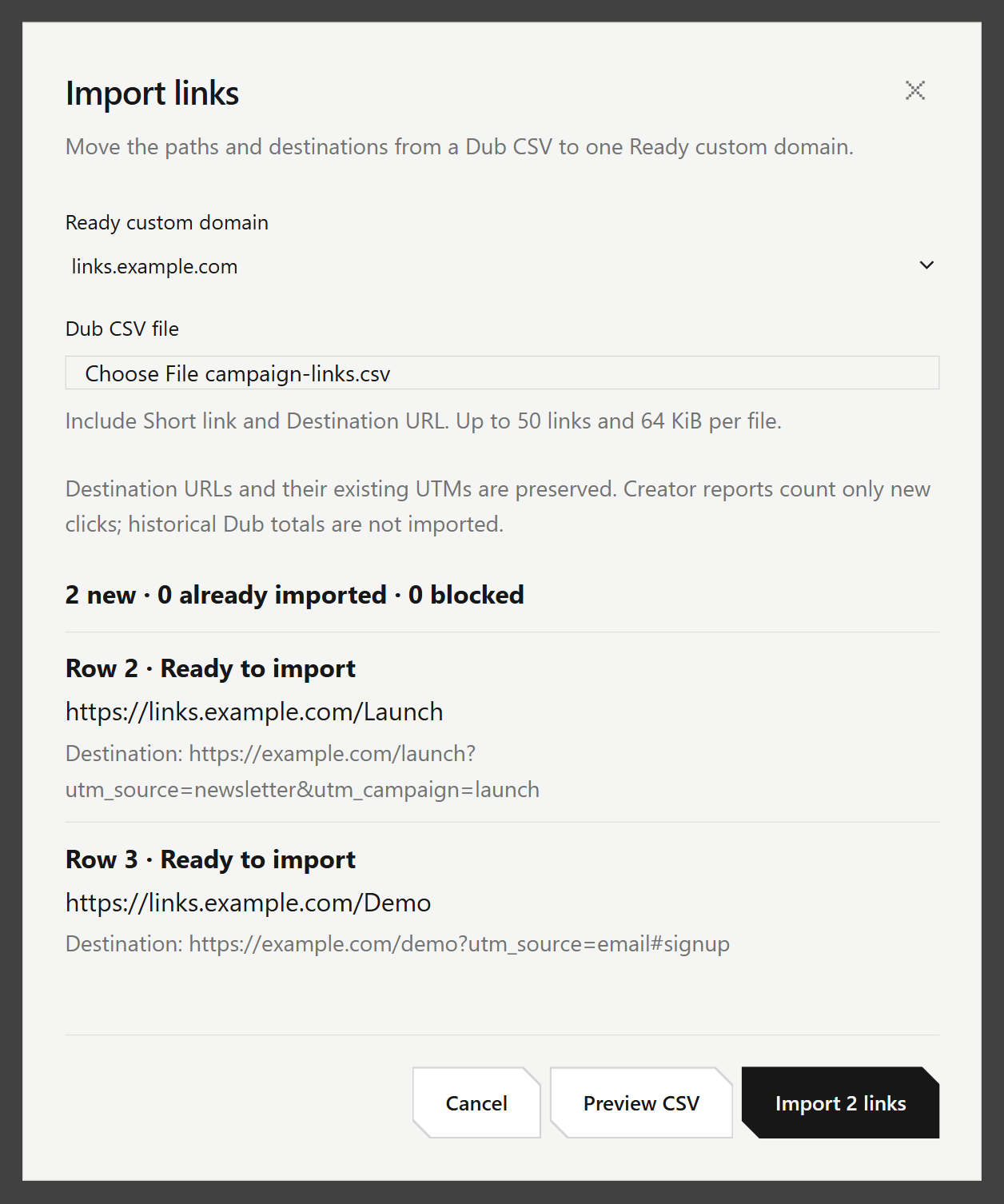
Export the links from Dub as a CSV with Short link and Destination URL selected, up to 50 rows. Larger lists can be split across files. In Creator Links, choose Import links, pick an existing Ready custom domain in this account, and preview the file.
A custom domain is your own hostname for short links. Ready means that hostname is verified and selectable here. The shared Creator hostname is not an import target.
The preview shows each new short URL, destination, and row status. Only the hostname changes. Paths keep their capitalization, including the custom domain root. If any row is blocked, the file creates nothing. An identical active mapping is marked already imported and is not replaced.
What import leaves unchanged
Imported links send people to the exact saved public HTTP or HTTPS destination, including its query string, tracking parameters, and fragment. Creator Links reports new clicks only. Dub click totals and creation dates are not imported, so keep the Dub export if you still need that history.
New links you create in the usual way still get lowercase paths and Creator's automatic tracking defaults. Import does not edit existing links, domain settings, or DNS, and it does not take over a conflicting or retired path.
Access in Creator Links
Import links is in Creator Links on Creator Platform. You need access to manage links for that account, and an existing Ready custom domain. Use the Import links screen. Connected agents do not run this import. This does not open Creator Links on every account, and no new Labs flag or plan is required.