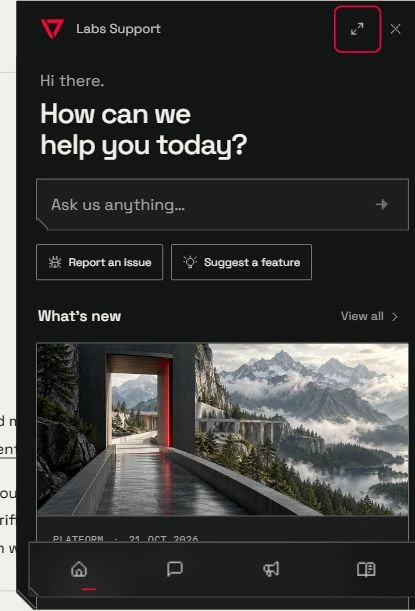
Help and updates, where you work
Find product announcements, documentation and support conversations in one hub, with an email subscription option on Updates.
- Creator Agents
- Creator Platform

Open one place for help
Labs Support brings Home, Messages, Updates and Docs into one panel. Open it from the Info, Support or Updates pages, the documentation, or agent setup. Home offers a starting point for a question, an issue report or a feature suggestion. Messages keeps the support conversation in the same hub.
Find the latest changes in your workspace
The updates control in Creator Agents and Creator Platform now opens the shared hub. See recent announcements with their featured images, filter updates by product and load older entries without leaving the panel. Each announcement links to its full public article.
Choose how to follow along
You can leave your email through Subscribe to updates on the public Updates page to subscribe to future product announcements. RSS remains available from the site footer for readers who prefer a feed. Subscribing to updates is separate from requesting a product invitation.
Keep useful guidance close
The Docs section gives you a route to product guidance, while Messages supports the existing support conversation and attachments. Use the hub when you need help with setup or a connected workflow, then return to the work you were doing.