Check and share your product feedback forms
Find field errors before you share a feedback form, review configuration suggestions, and see its connected workflows from the Integrate tab.
- Creator Platform

Fix field errors before sharing
When you ask customers for product feedback, a missing field name or a placeholder destination can get in the way. Creator Platform makes existing form errors easier to find and puts sharing and workflow connections in a dedicated Integrate tab.
Go straight to the field that needs attention
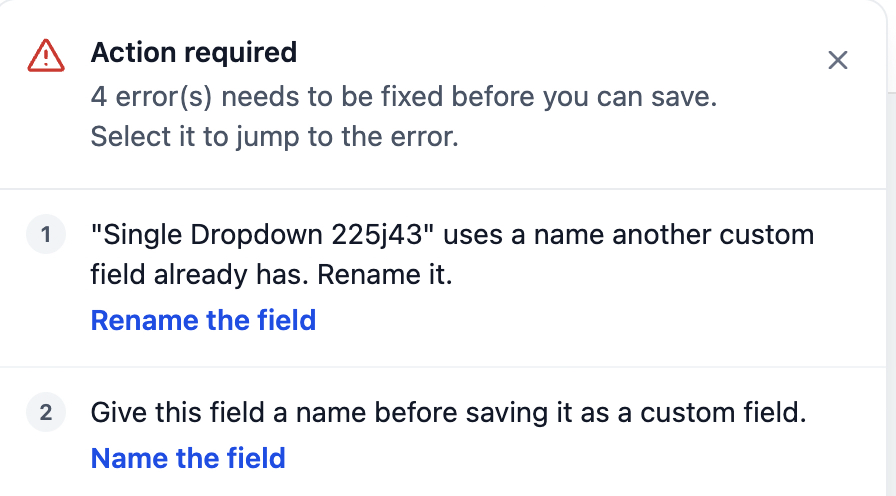
When you save, the error panel identifies existing validation problems with custom field creation, duplicate fields and form elements. Select an error to jump to the affected field. As you fix it, the list crosses it off.
This changes how existing errors are explained and resolved. It does not add new validation rules.
Review the setup before you send the link
Recommendations can flag placeholder destination URLs, default custom field names and missing bot protection. You can turn recommendations on or off in Settings.
The Insights tab shows configuration details such as the number of conditional logic rules and custom fields, plus whether automated responses and email notifications are enabled. These are setup details, not feedback results.
Share the form and check its follow-up workflows
Open Integrate in your form to copy its direct link or use social sharing. The tab also gives you access to existing email options and live previews for existing embed formats. Email integration itself has not changed.
Use Connection to see the workflows associated with that form or start a new workflow. This helps you check where feedback submissions enter your follow-up process before you distribute the form.
Where to find it
Open an existing form in Creator Platform. Save to review validation errors, open Recommendations and Insights to check its setup, then use Integrate for sharing and workflow connections. These controls also apply to surveys and quizzes, subject to your existing account access and permissions.