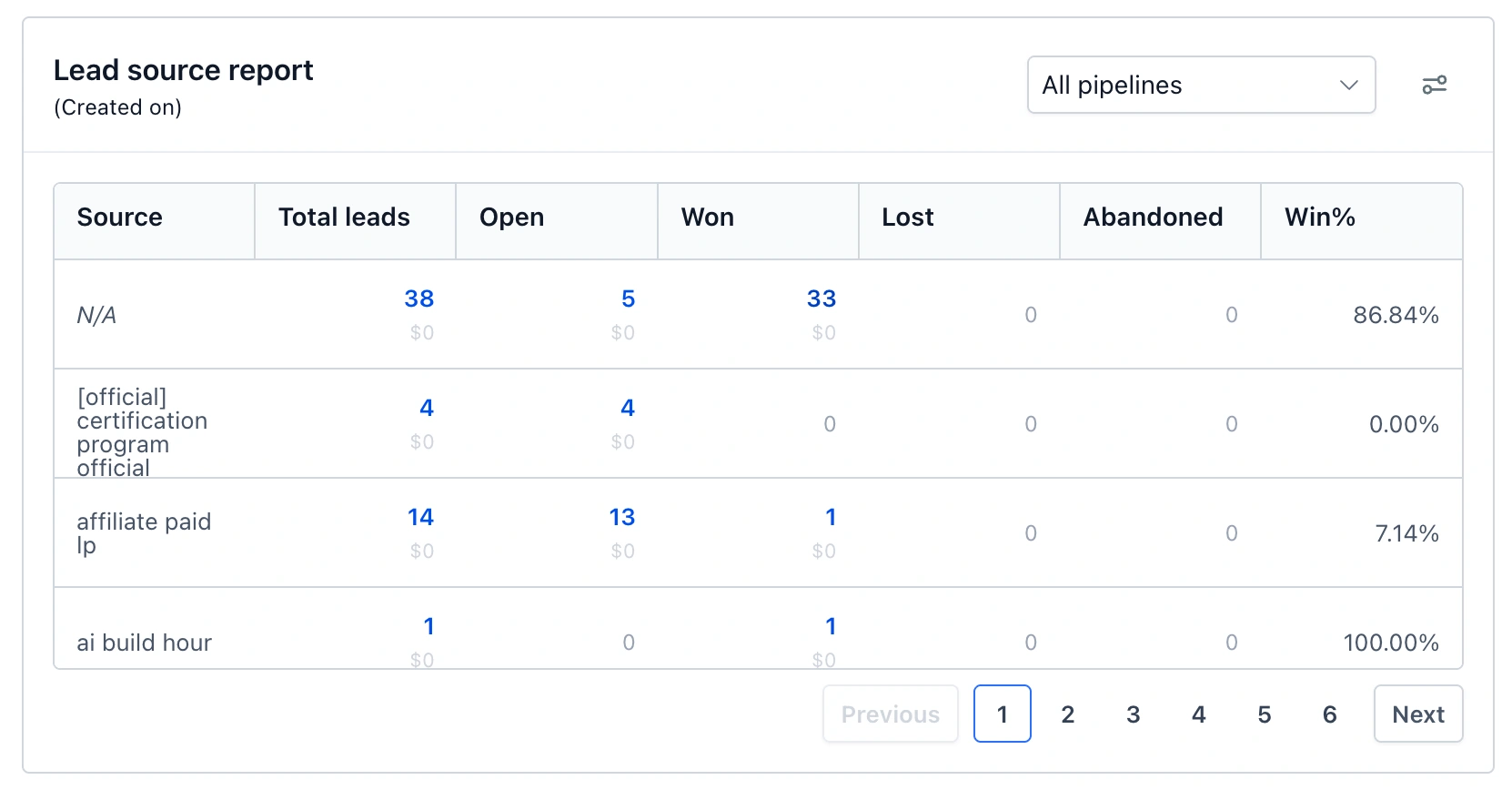
See which channels turn interest into customers
Look behind lead-source totals, compare value by status and get a clearer picture of where buyers leave checkout.
- Creator Platform

Follow a report total back to the leads
The Lead Source Report now lets you open the opportunities behind any nonzero count. Compare the value of open, won, lost and abandoned opportunities by source, then inspect the records that make up a result.
Missing sources appear as N/A. Use the empty-source filters to find gaps in your attribution. Value columns follow your existing permission to view lead value. Open the report on your dashboard to explore the changes.
Separate checkout intent from payment
Meta Pixel checkout events now distinguish people who begin checkout from those who enter payment details. Store checkout pages and pages with their own InitiateCheckout event count on load; other order forms count the buyer's first interaction. Duplicate triggers are limited to one event per page visit.
AddPaymentInfo also carries available order value, currency, product identifiers and hashed customer details. Existing advertising-cookie consent and Conversions API deduplication continue to apply.
Read the new numbers in context
These tracking changes apply to native platform funnels, websites and stores with Meta Pixel and InitiateCheckout enabled. Counts can rise because buyers who leave before paying are now included. Account for that measurement change when comparing periods or reviewing campaign rules.
Existing Pixel settings continue to work. Page-level settings may take up to 24 hours to reach already-published pages; saving the page applies them sooner.