An easier path to connect your agents
Continue setup with the context you already saved, use several agents with one business and pair remote Codex through your browser.
- Creator Agents
- Creator Platform

Continue one setup
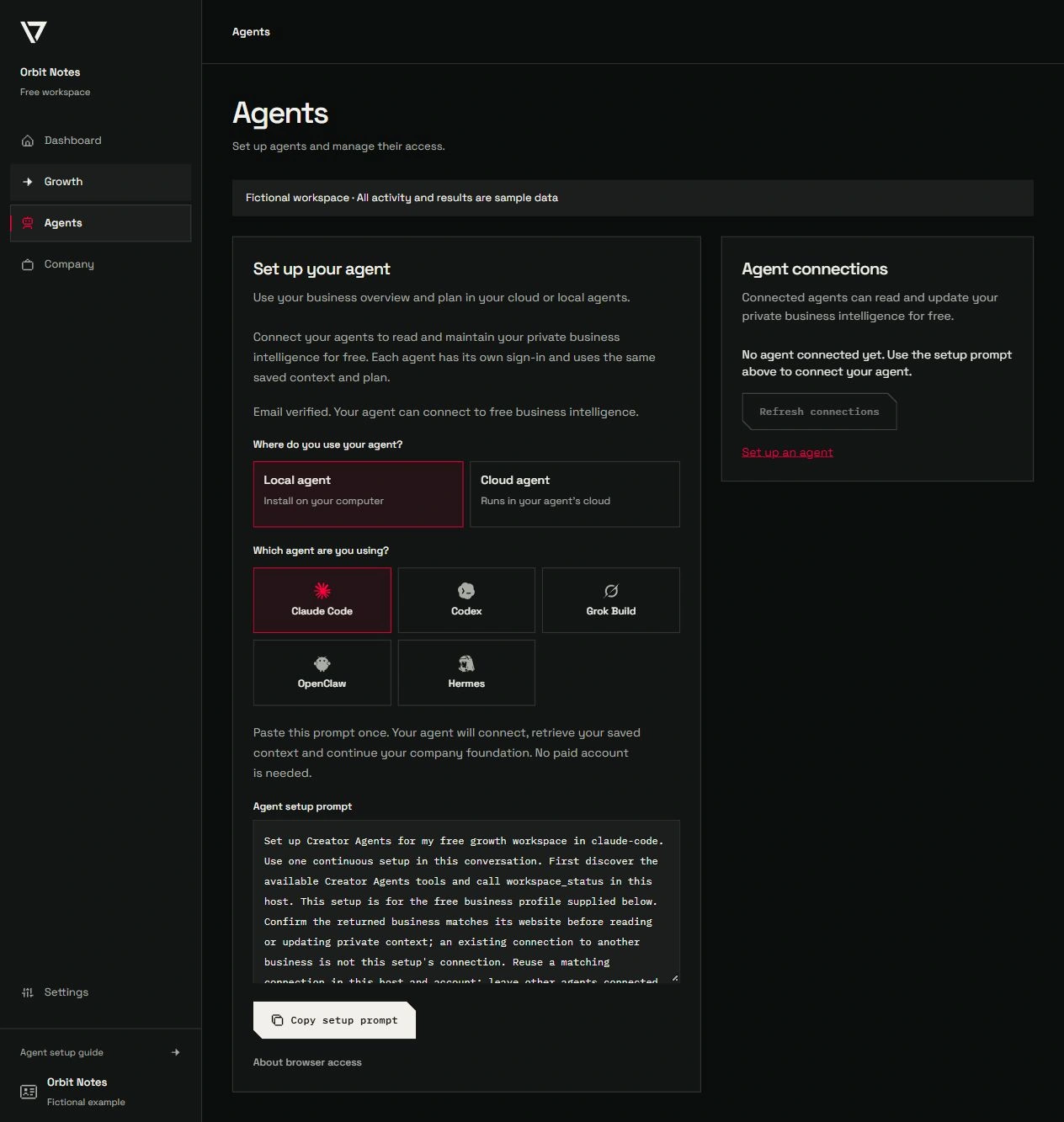
The Agents area gives you a prompt for your selected local or cloud agent. Setup checks for working access first, resumes your existing business foundation and keeps the context and plan together. If sign-in or consent is needed, you complete that step and continue the same request.
Use the same business with several agents
Each agent host connects independently and reads the shared business context within its own permissions. Verified free accounts can connect to private intelligence and the saved growth plan without activating paid marketing execution. Creator Platform workspaces can use their connected marketing capabilities where their access allows it.
Pair Codex when your browser is elsewhere
When native Codex runs on a different computer from your browser, the official pairing helper gives you an HTTPS page and a short code. Complete sign-in and consent in your browser, then return to the original agent to verify workspace access. Use the current setup guide and its checksum-verified helper with a supported native Codex installation.
Check the destination host
A connection on one computer does not automatically appear in a cloud task or another agent host. Each destination needs its own supported connection, and scheduling support is checked separately. Your existing agents can stay connected while you add another.